Change request template
A change request is the short form that records an agreed change to a contract that is already running: what is changing, why, who asked for it and what it does to the price. This version is the Variation Form from the UK government's Mid-Tier Contract, with a table of clauses before and after the change and a financial section that shows the new contract value. It is completed every time a client's scope moves, with the contract, the changes and the cost different each time.
Adapted from Cabinet Office (28 January 2025). Contains public sector information licensed under the Open Government Licence v3.0.
What changes each time
19 values. Everything else is your wording, kept exactly.
The contract
- Buyer name
- Supplier name
- Contract name
- Contract reference number
The variation
- Variation initiated by
- Variation number
- Date variation raised
- Reason for variation
- Impact assessment period
- Impact assessment
Changes and cost
- Changes (one row each)
- Cost impact
- Original contract value
- Additional cost due to variation
- New contract value
Signatories
- Buyer signatory name
- Buyer signatory address
- Supplier signatory name
- Supplier signatory address
The rules it usually needs
Written in plain English when the template is set up.
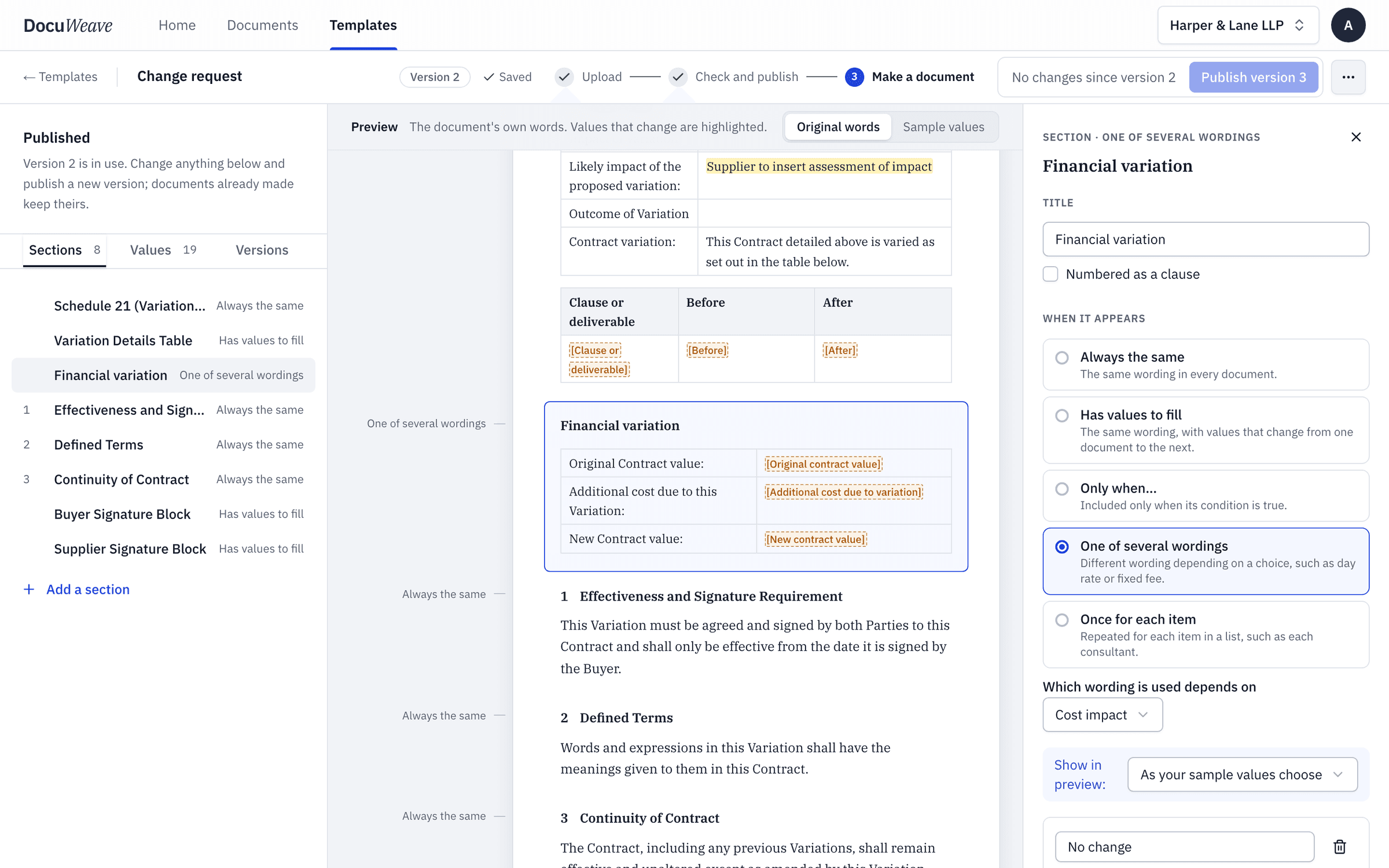
- One of several wordings
“Financial variation: either no change to the contract value, or a change in cost.”
The paperwork showed an extra £2,750, so the change-in-cost table was used, with the new contract value of £20,750 worked out from the original value and the extra cost.
- Once for each item
“One row in the changes table for each clause or deliverable that changes.”
The client's email listed two changes, so the table has two rows.
One worked example, start to finish
The change request in DocuWeave, from upload to approval.
 1
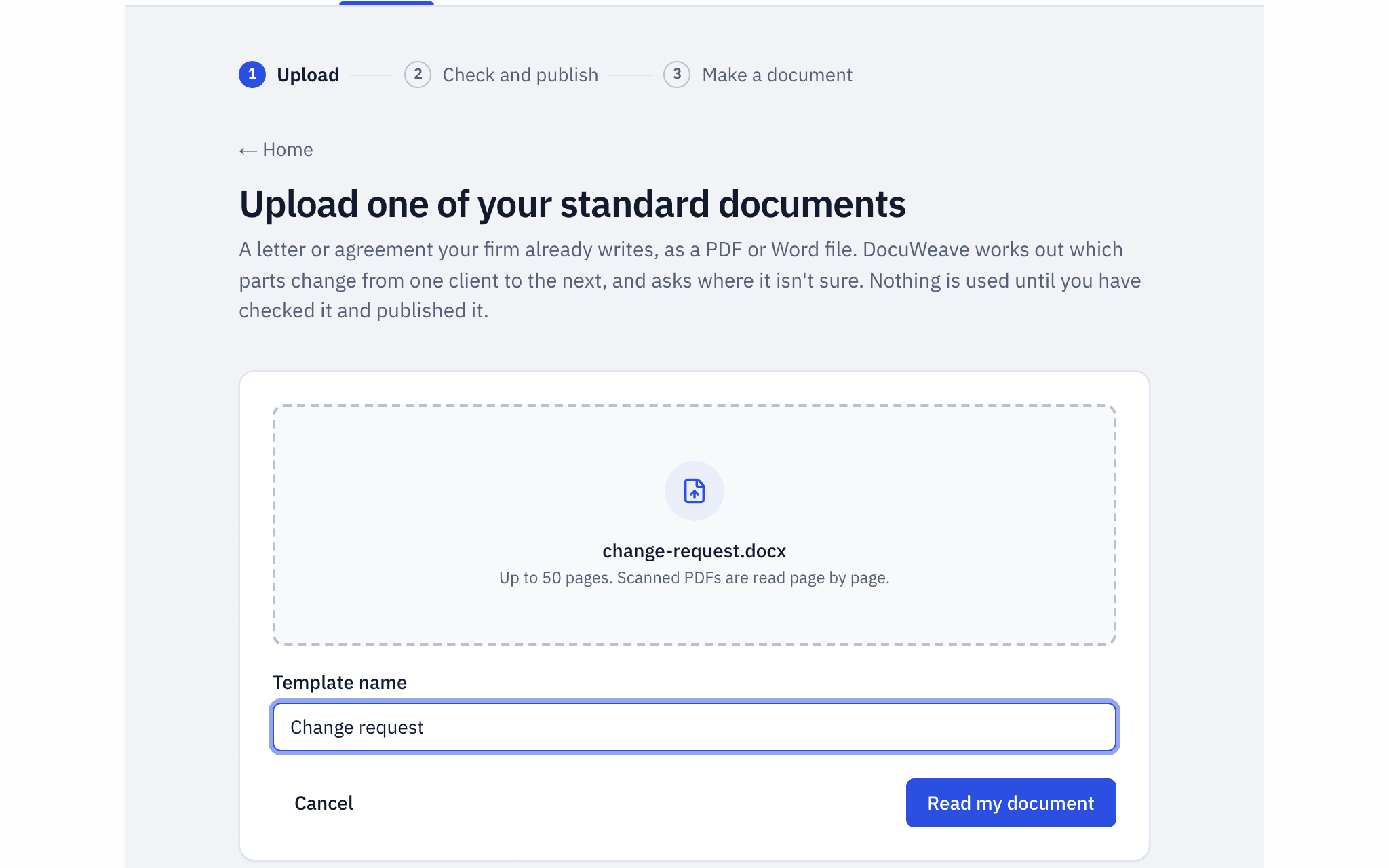
1The document uploaded
The government's Variation Form, a Word file, uploaded as it is.
- 2
The template it became
It found 8 sections and 18 values, and asked 2 questions before publishing. The financial section changes with the cost impact, and the changes table grows one row per change.
 3
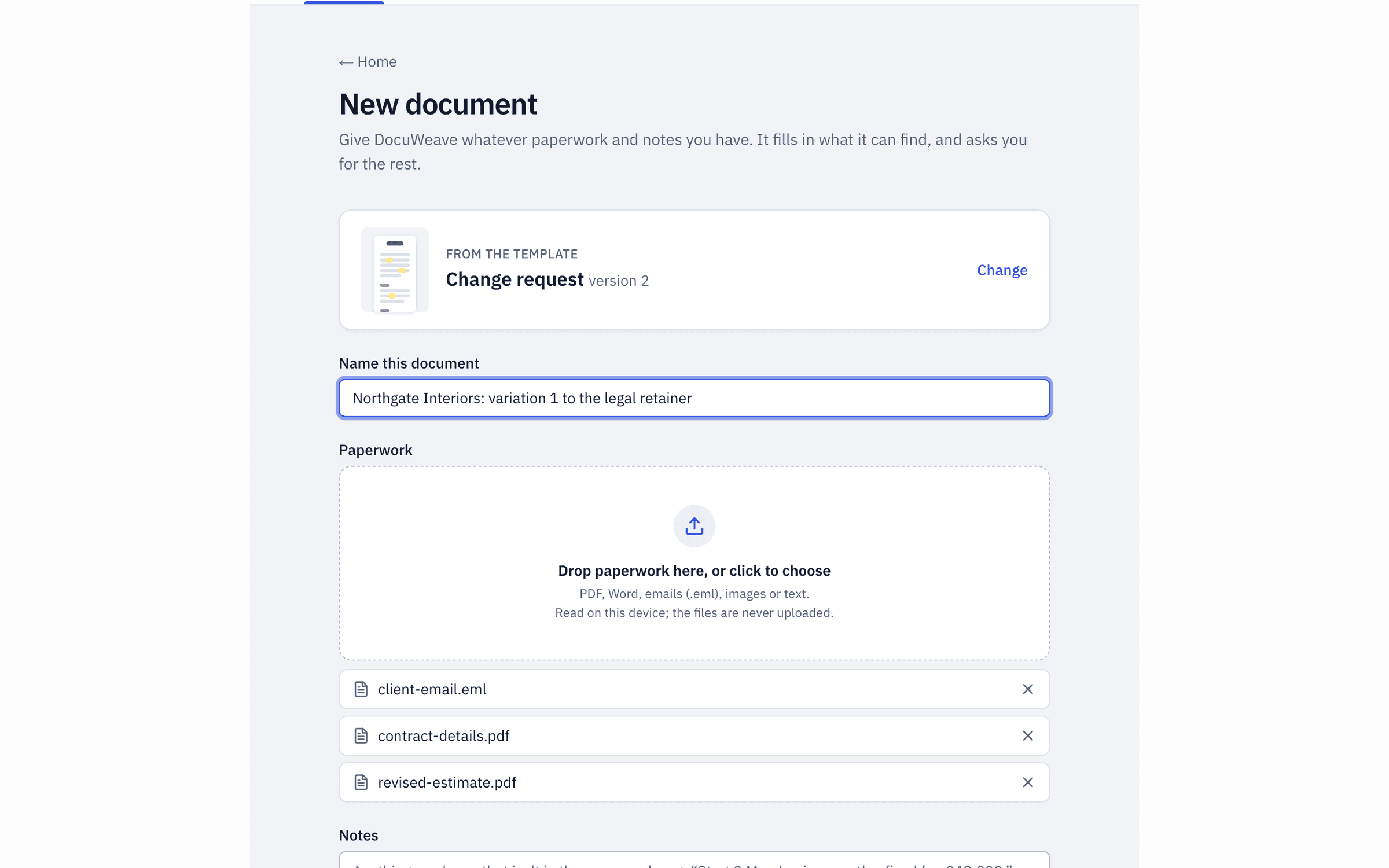
3The paperwork dropped in
The client's email, a revised estimate and the contract details.
 4
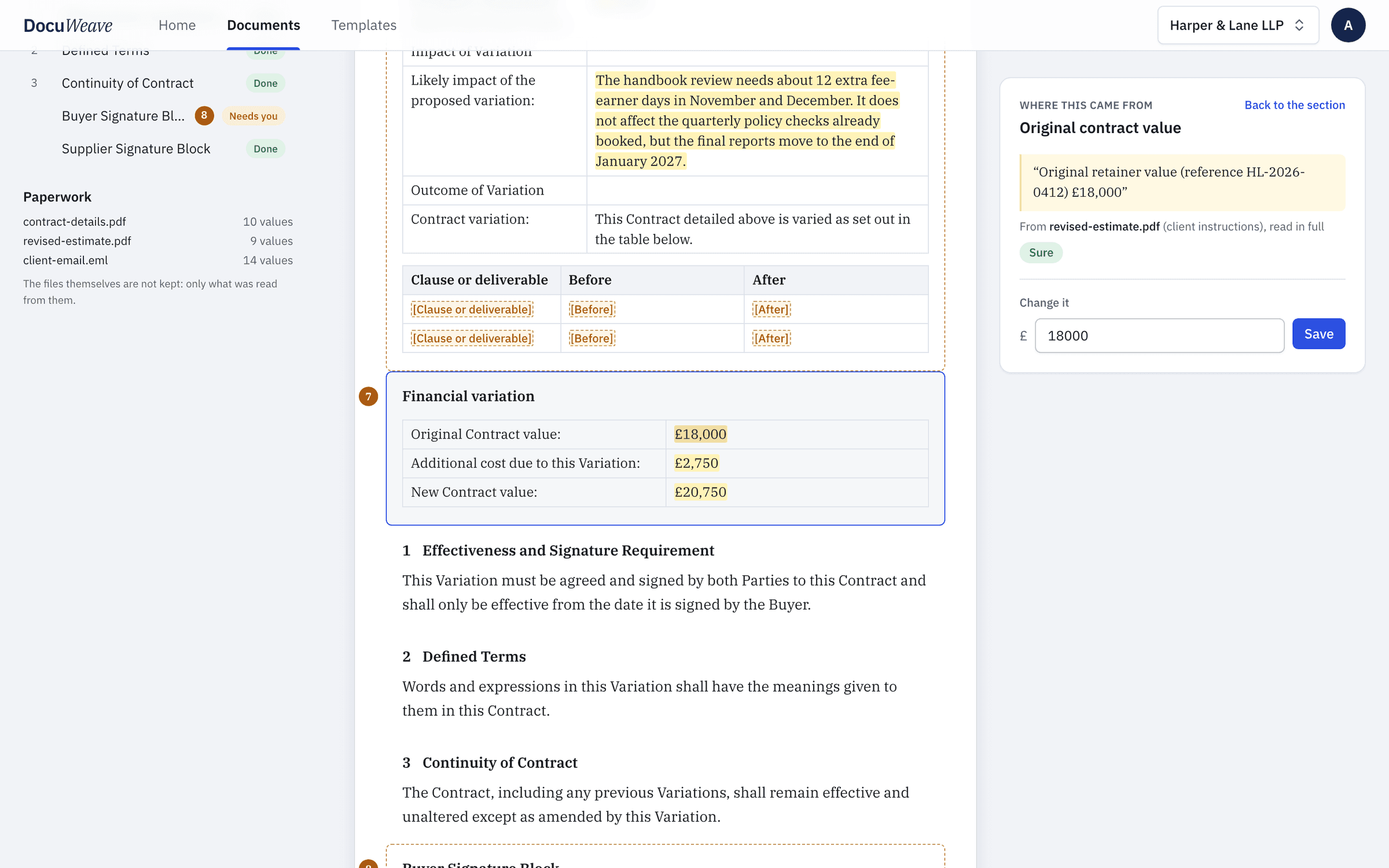
4What was found, with sources
18 of 18 values filled from the paperwork, each with the passage it came from.
 5
5What it asked
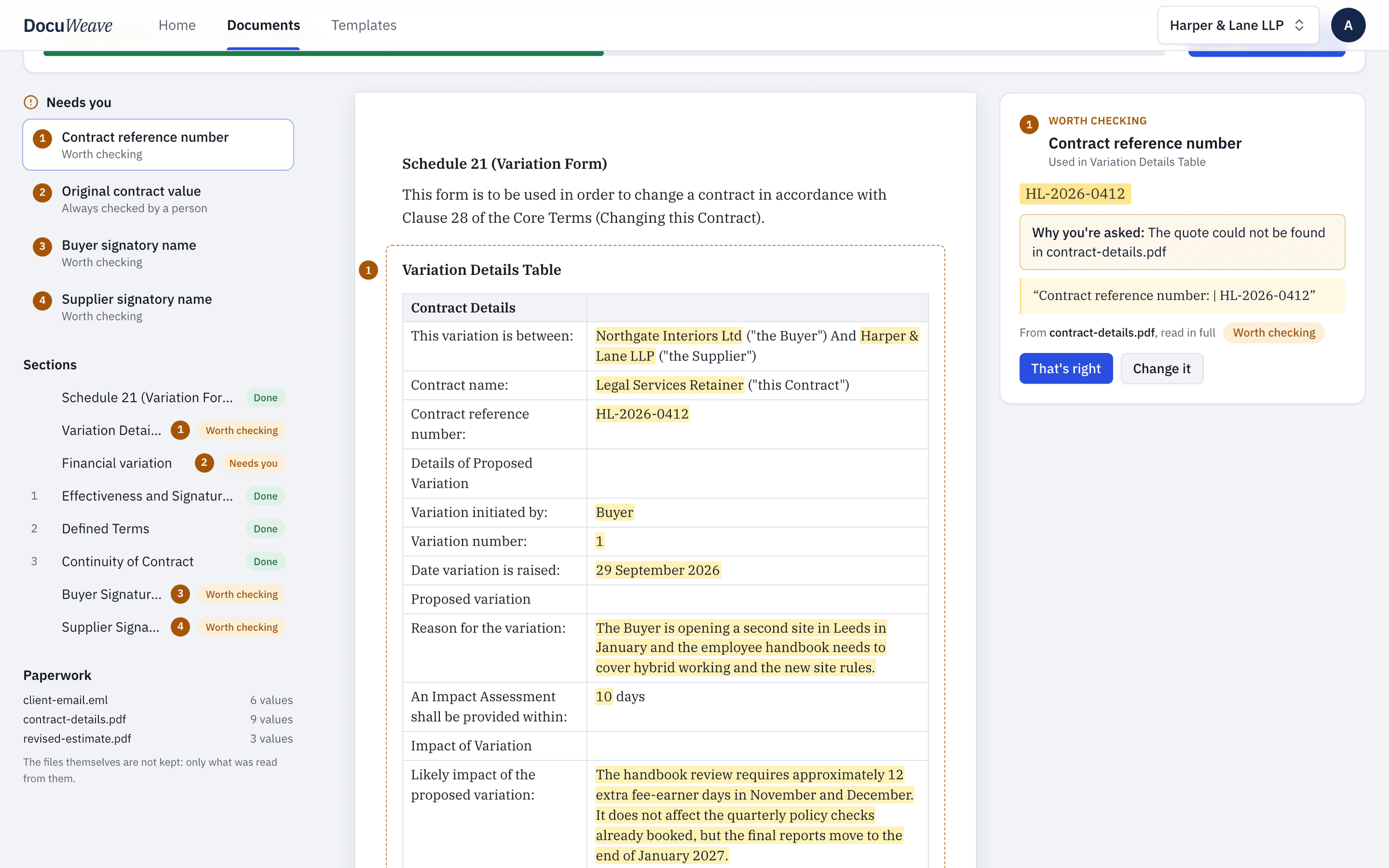
4 things for a person: three values worth checking, and the original contract value, which the template says is always checked.
 6
6The approved output
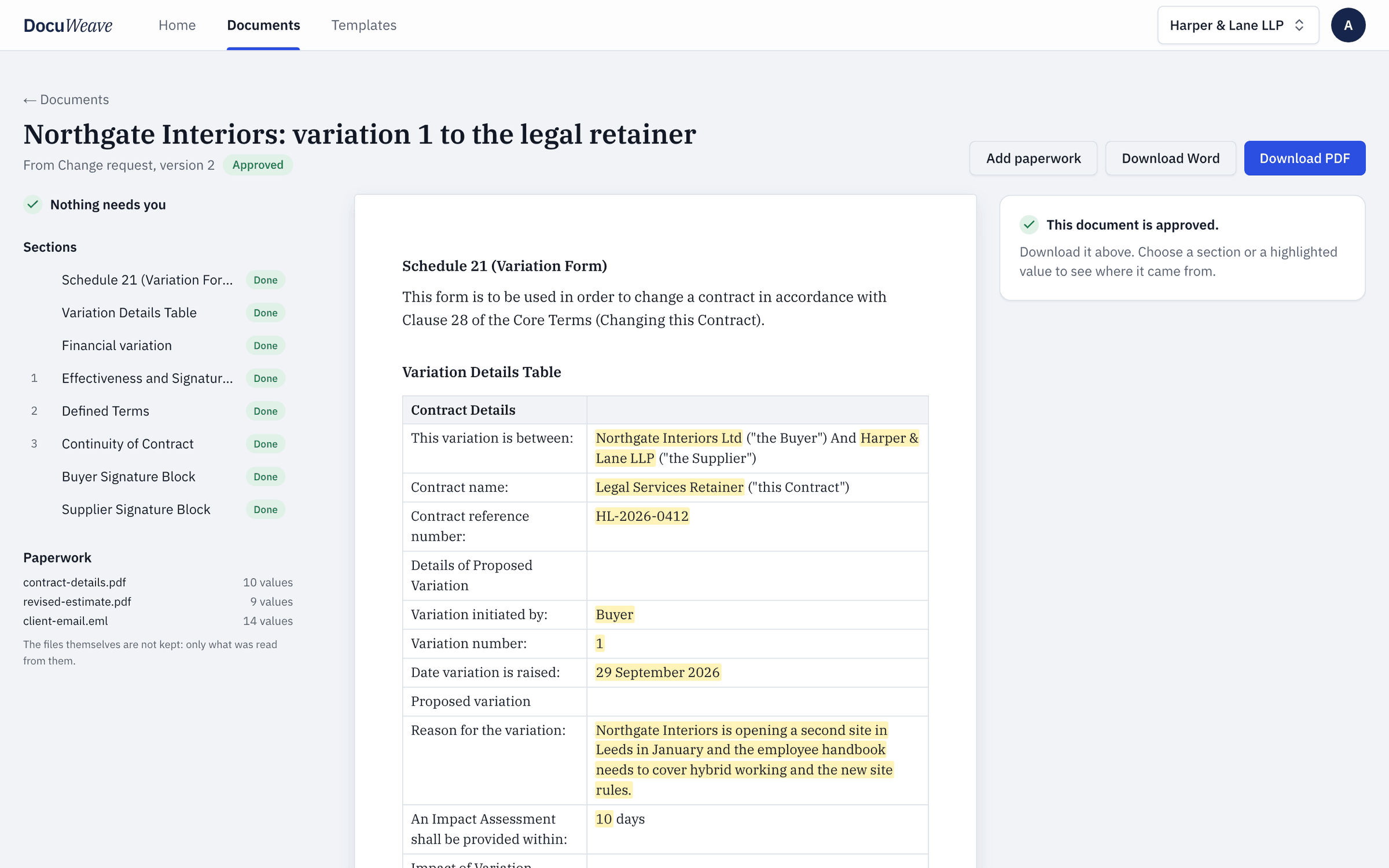
Approved, with Word and PDF downloads of exactly what was approved.
A free change request to download
- Change request, filled with fictional details (Word)
- Change request, filled with fictional details (PDF)
Use it as it is, or upload it to DocuWeave and make it a template.
DocuWeave is not a law firm. A general template for common situations in England and Wales. It is not tailored to you and we do not update it when the law changes, so check it suits your situation before you use it. Terms.
Adapted from Cabinet Office (28 January 2025). Contains public sector information licensed under the Open Government Licence v3.0.
Questions people ask
What is a change request in a contract?
It is a written record that the parties agree to change something in a contract that is already in place, such as the scope, the timetable or the price. Writing it down avoids disagreements later about what was agreed.
Who has to sign a contract variation?
Both parties. A variation is itself an agreement, so it is normally signed by an authorised person on each side, and the contract's own variation clause may set further requirements.
What should a change request include?
The contract it changes, who asked for the change and why, exactly what changes (the wording before and after), the effect on price and timing, and a signature block for each party.
What if the change does not alter the price?
Say so. The form has a place for a change in cost and a place to state that the contract value stays the same.
Can I use my own change request form?
Yes. Upload your own Word or PDF version and DocuWeave turns it into a template in your wording, with the same kind of rules and the same filling from paperwork.
Use this template
It opens in DocuWeave as a template you can check, change and publish. Nothing is used until you do.