Order form template
An order form is the short document that records what a customer is buying: the parties, the goods or services, the price, the start date and any special terms. This version is the Award Form from the UK government's Mid-Tier Contract, which pulls the buyer's and supplier's details, a description of the deliverables, the dates and the incorporated schedules into one front sheet. It is completed for every sale, with the customer, the products and the dates changing each time.
Adapted from Cabinet Office (13 February 2025). Contains public sector information licensed under the Open Government Licence v3.0.
What changes each time
17 values. Everything else is your wording, kept exactly.
The parties
- Buyer
- Supplier
- Supplier's address
The sale
- Deliverables
- Contract reference
- Start date
- Expiry date
- Extension
Money
- Charges
- Estimated year 1 charges
- Payment method
- Liability cap
- Data protection liability cap
Contacts and options
- Supplier's contract manager
- Buyer's authorised representative
- Security schedule
- Key subcontractors
One worked example, start to finish
The order form in DocuWeave, from upload to approval.
 1
1The document uploaded
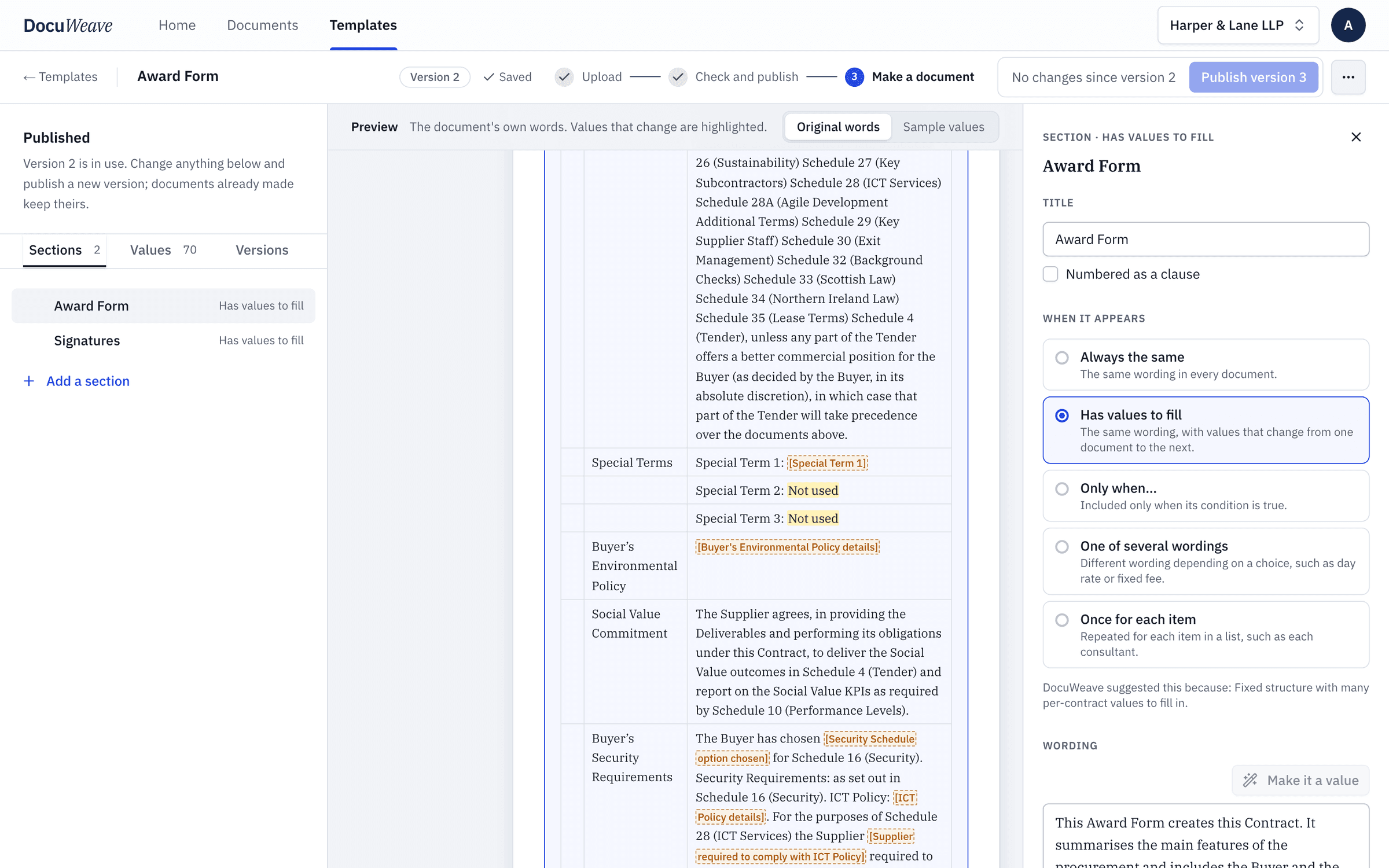
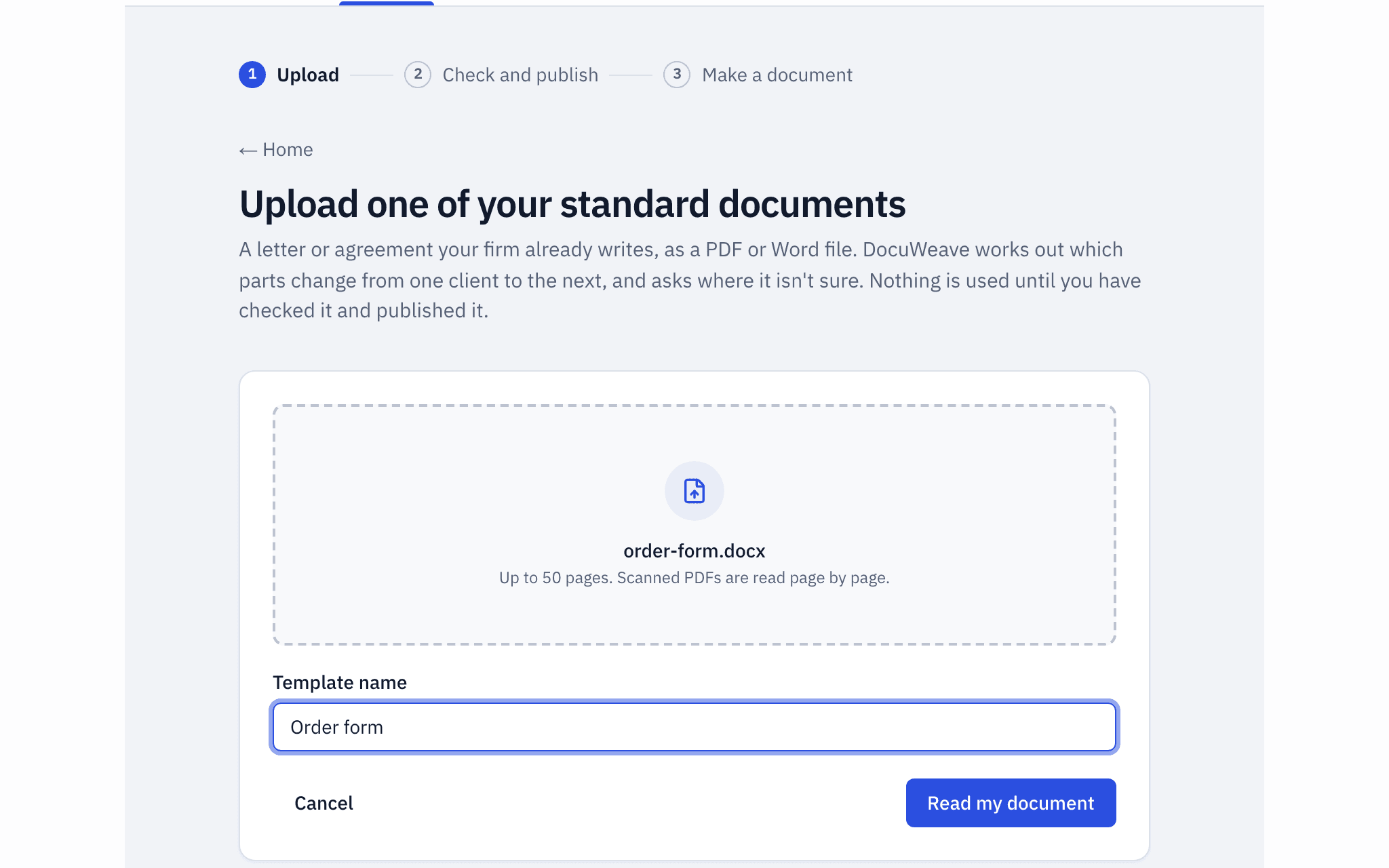
The Mid-Tier Award Form, a Word file, uploaded as it is.
- 2
The template it became
It found 2 sections and 77 values, and asked 16 questions. The Crown guidance notes and square brackets were taken out in the editor.
 3
3The paperwork dropped in
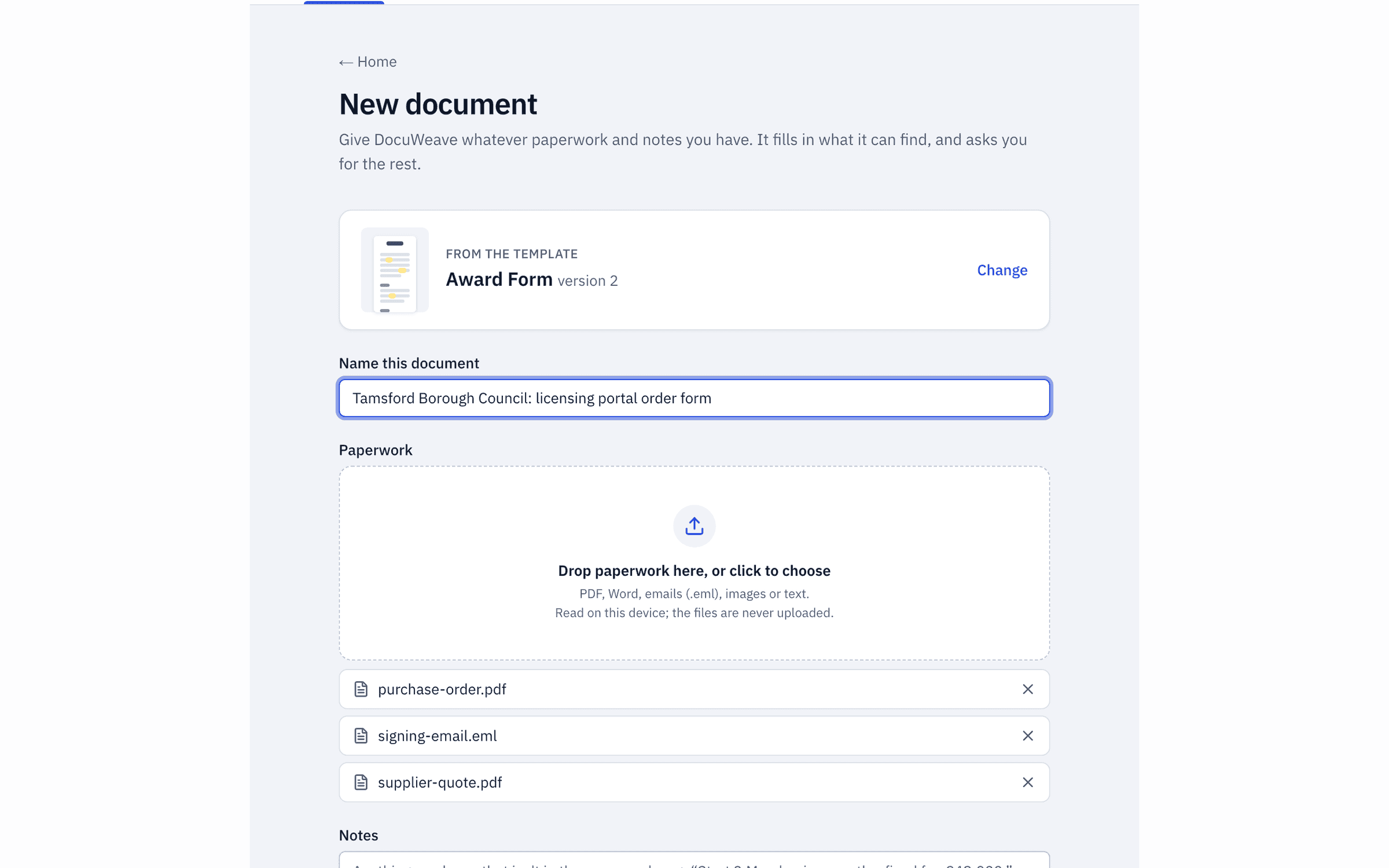
The supplier's quotation, the council's purchase order and the email sending the form for signature.
 4
4What was found, with sources
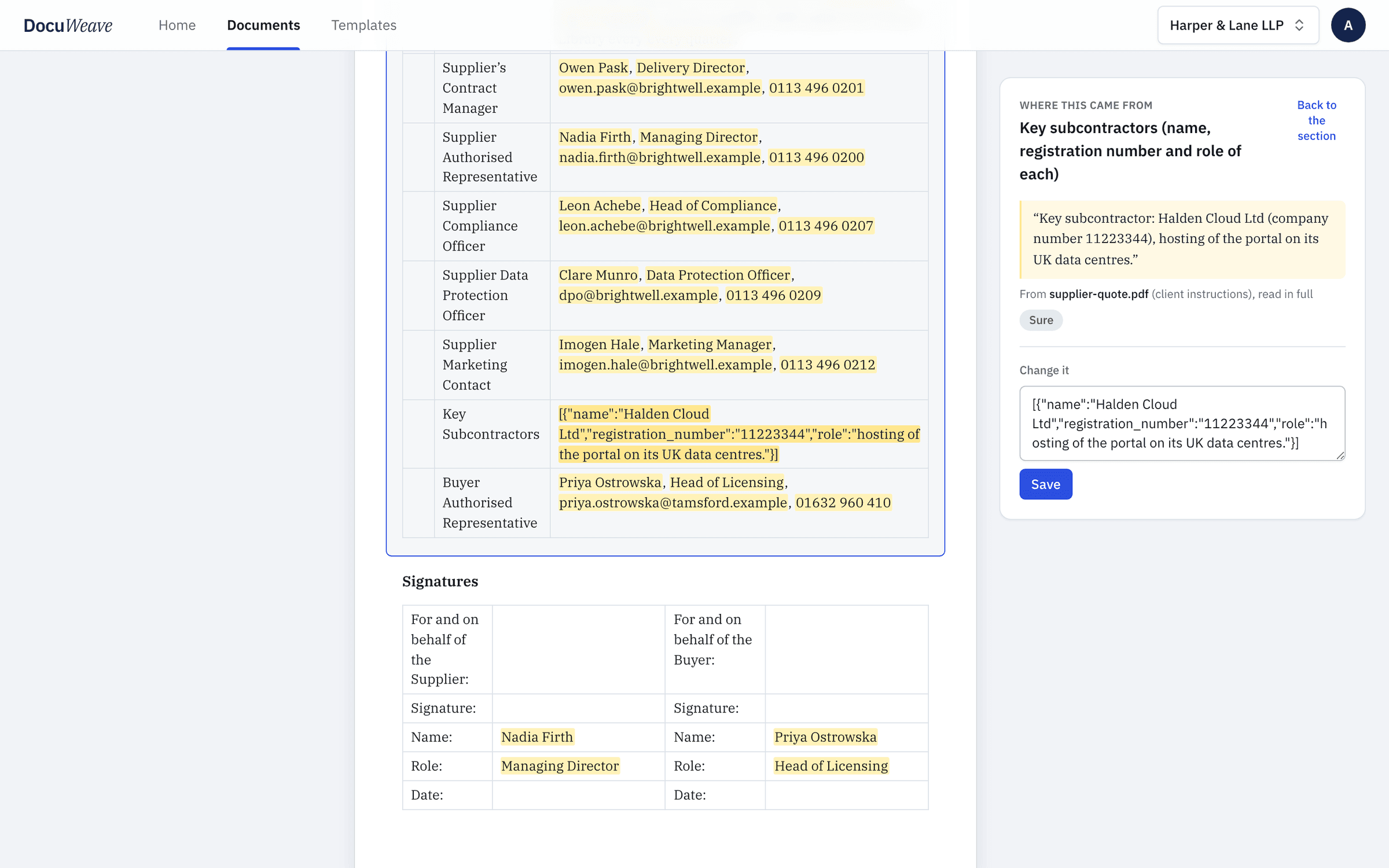
61 of 70 values filled from the paperwork, each with the passage it came from.
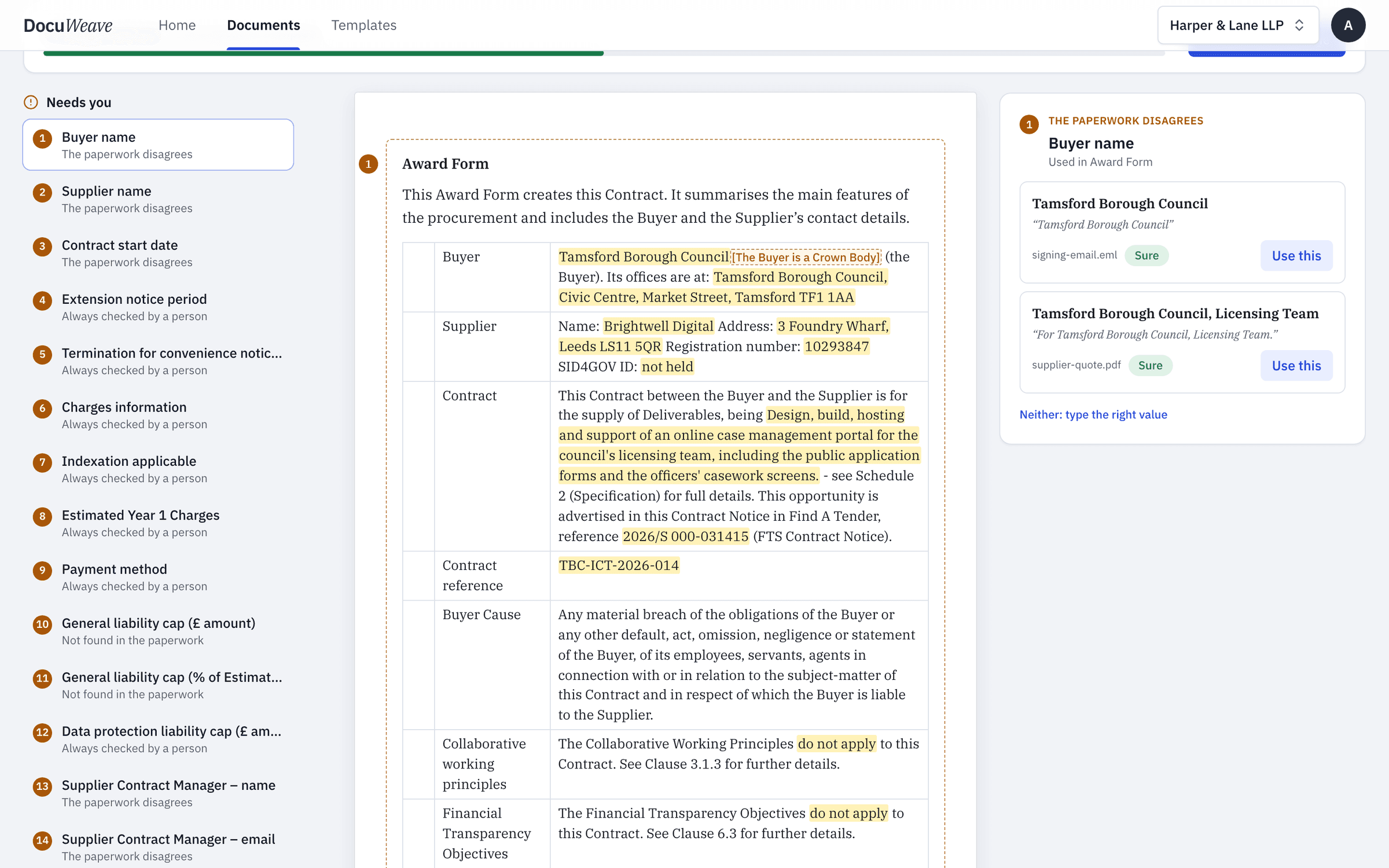 5
5What it asked
15 things for a person: names the paperwork gives differently, and the money and notice terms the template says are always checked.
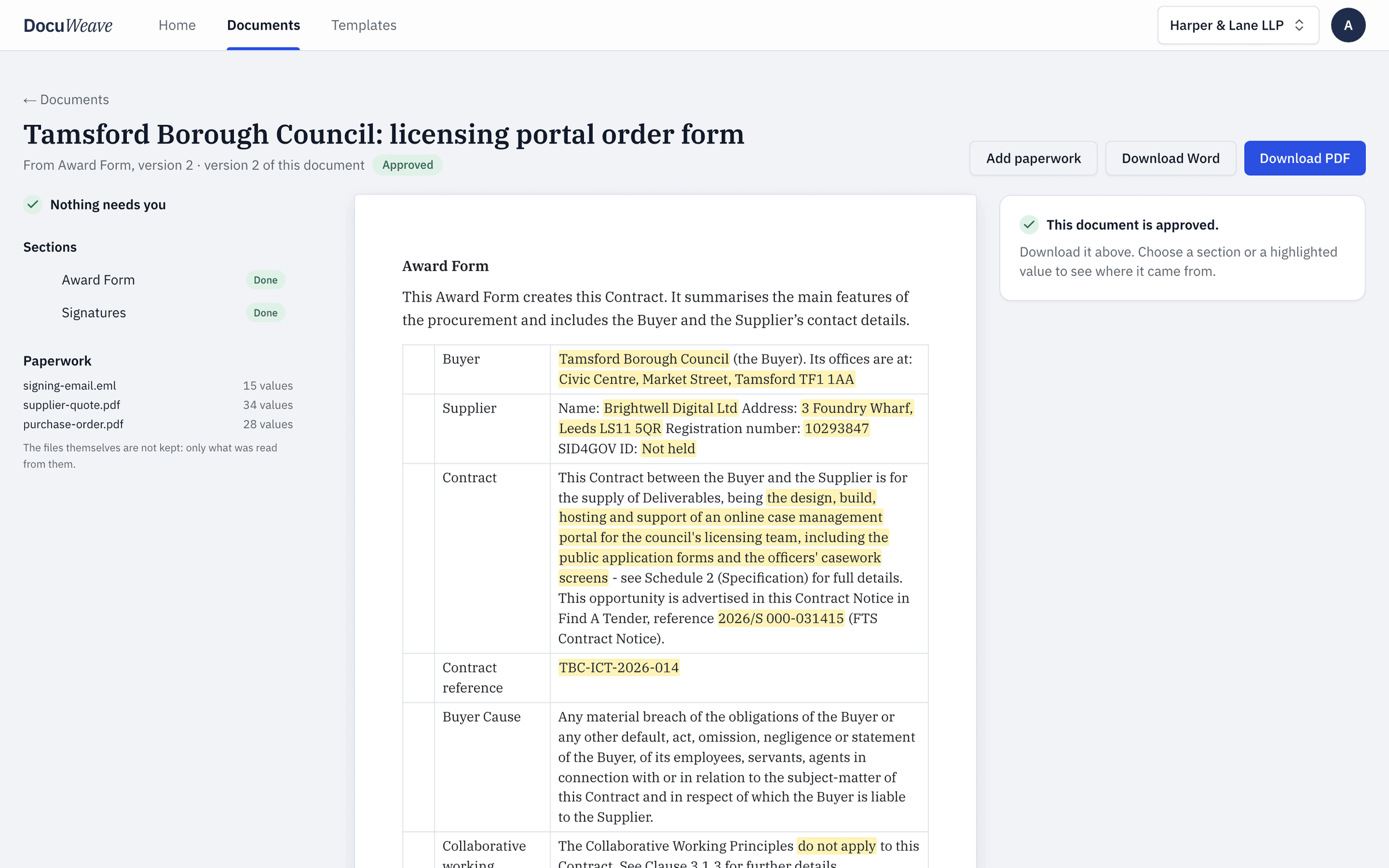 6
6The approved output
Approved, with Word and PDF downloads of exactly what was approved: 3 pages.
A free order form to download
- Order form, filled with fictional details (Word)
- Order form, filled with fictional details (PDF)
Use it as it is, or upload it to DocuWeave and make it a template.
DocuWeave is not a law firm. A general template for common situations in England and Wales. It is not tailored to you and we do not update it when the law changes, so check it suits your situation before you use it. Terms.
Adapted from Cabinet Office (13 February 2025). Contains public sector information licensed under the Open Government Licence v3.0.
Questions people ask
What is the difference between an order form and a contract?
An order form records the commercial details of one sale, such as the product, price and dates, and usually sits on top of standard terms the customer has already seen or agreed. The terms carry the legal detail; the order form says what this customer is buying.
What should an order form include?
The names and addresses of both parties, a description of what is being supplied, the price and how it is paid, the start date and length of the agreement, and which standard terms apply. Many also list contacts for each side.
Does an order form need to be signed?
It is good practice. A signature, or a clear written acceptance, shows the customer agreed to the details and to the terms the form refers to.
Can I use my own order form?
Yes. Upload your own Word or PDF version and DocuWeave turns it into a template in your wording, so each new sale starts from the same form.
Use this template
It opens in DocuWeave as a template you can check, change and publish. Nothing is used until you do.