Risk assessment template
A risk assessment records the hazards at a workplace or on a job, who could be harmed and how, what is already being done and what more is needed. Employers must carry one out and, with five or more employees, write down the findings. It is completed before work begins and reviewed when things change.
Adapted from Health and Safety Executive (October 2019). Contains public sector information licensed under the Open Government Licence v3.0.
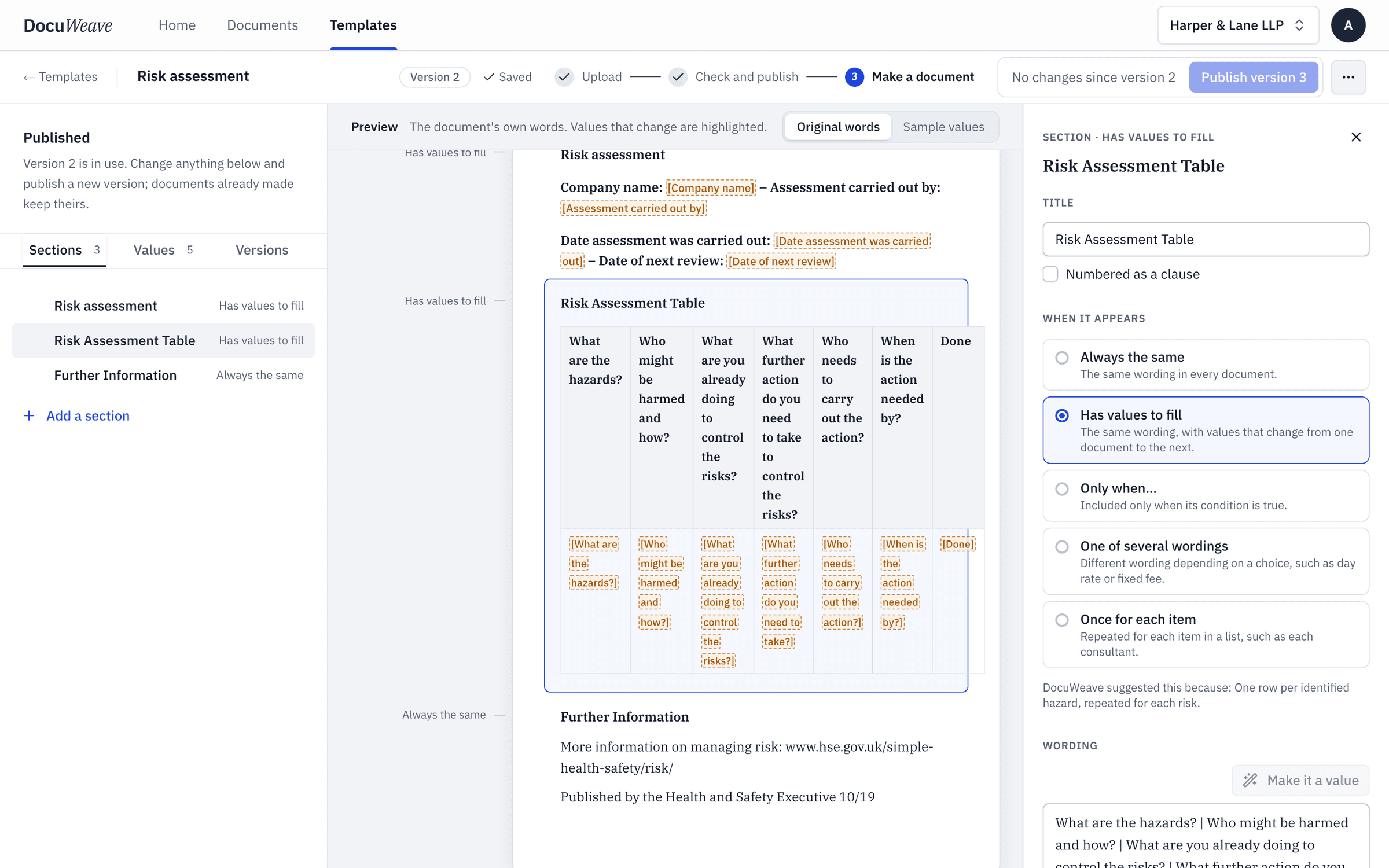
What changes each time
10 values. Everything else is your wording, kept exactly.
The assessment
- Company name
- Carried out by
- Date carried out
- Date of next review
The hazards, one row for each
- Hazard
- Who might be harmed and how
- Controls already in place
- Further action
- Who and by when
- Done
The rules it usually needs
Written in plain English when the template is set up.
- Once for each item
“One row of the hazard table for each hazard in the paperwork.”
The site manager's walk-round notes gave four hazards, so the table has four rows.
One worked example, start to finish
The risk assessment in DocuWeave, from upload to approval.
 1
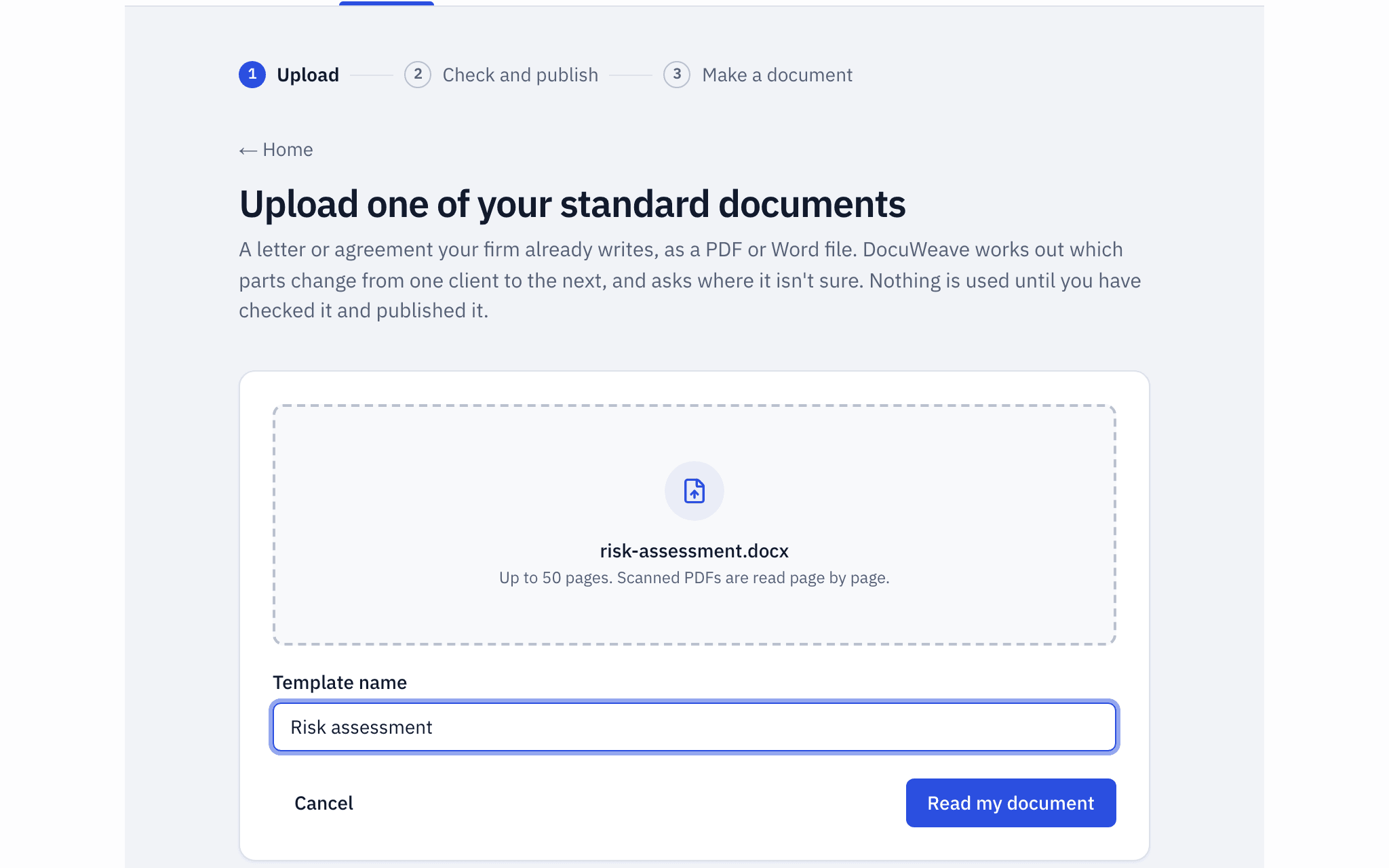
1The document uploaded
The HSE risk assessment template of 2019, a Word file, uploaded as it is.
- 2
The template it became
It found 3 sections and 3 values, one of them the hazard table, and asked 4 questions before publishing.
 3
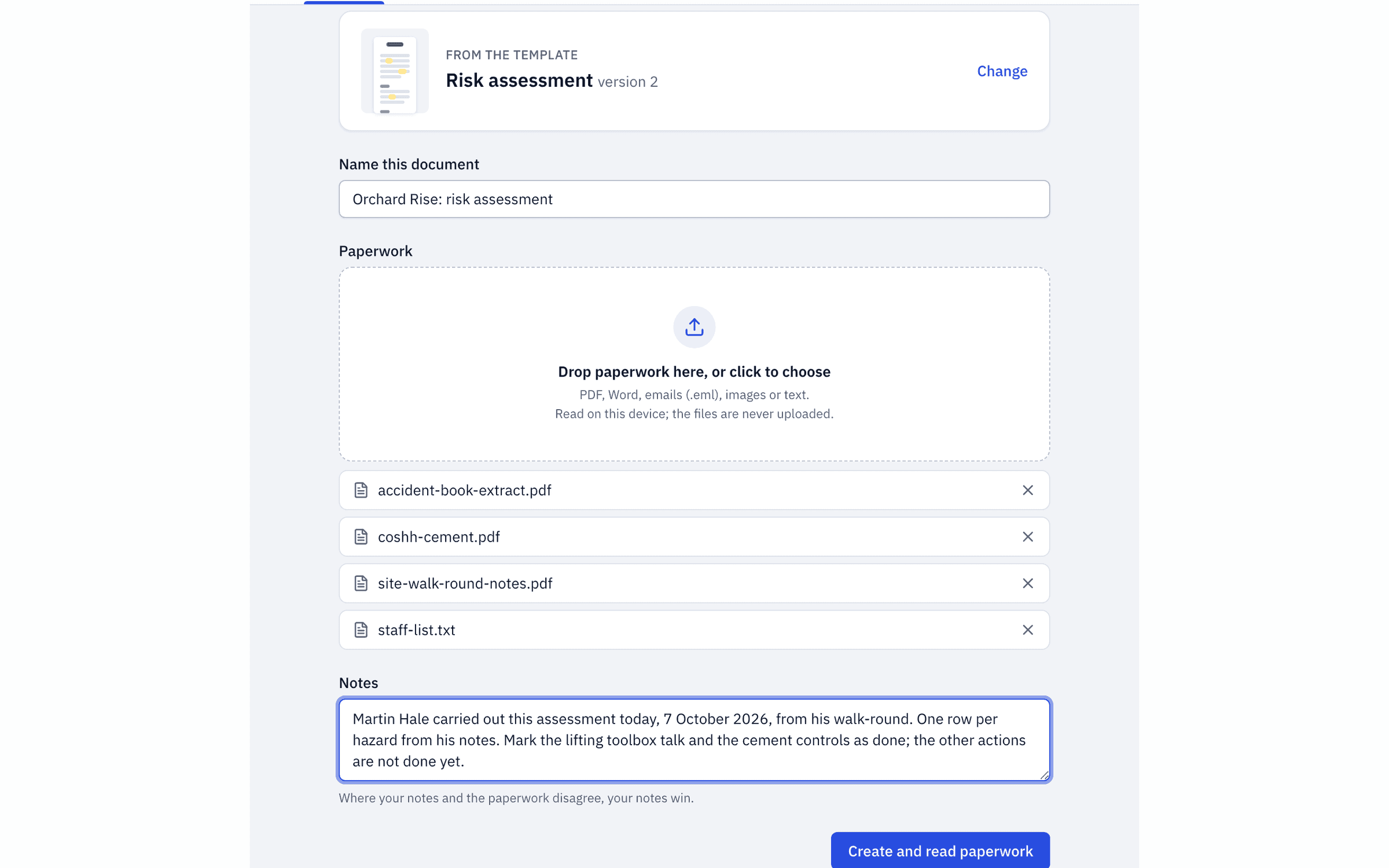
3The paperwork dropped in
The site manager's walk-round notes, an accident book extract, a COSHH sheet, the staff list and a typed note.
 4
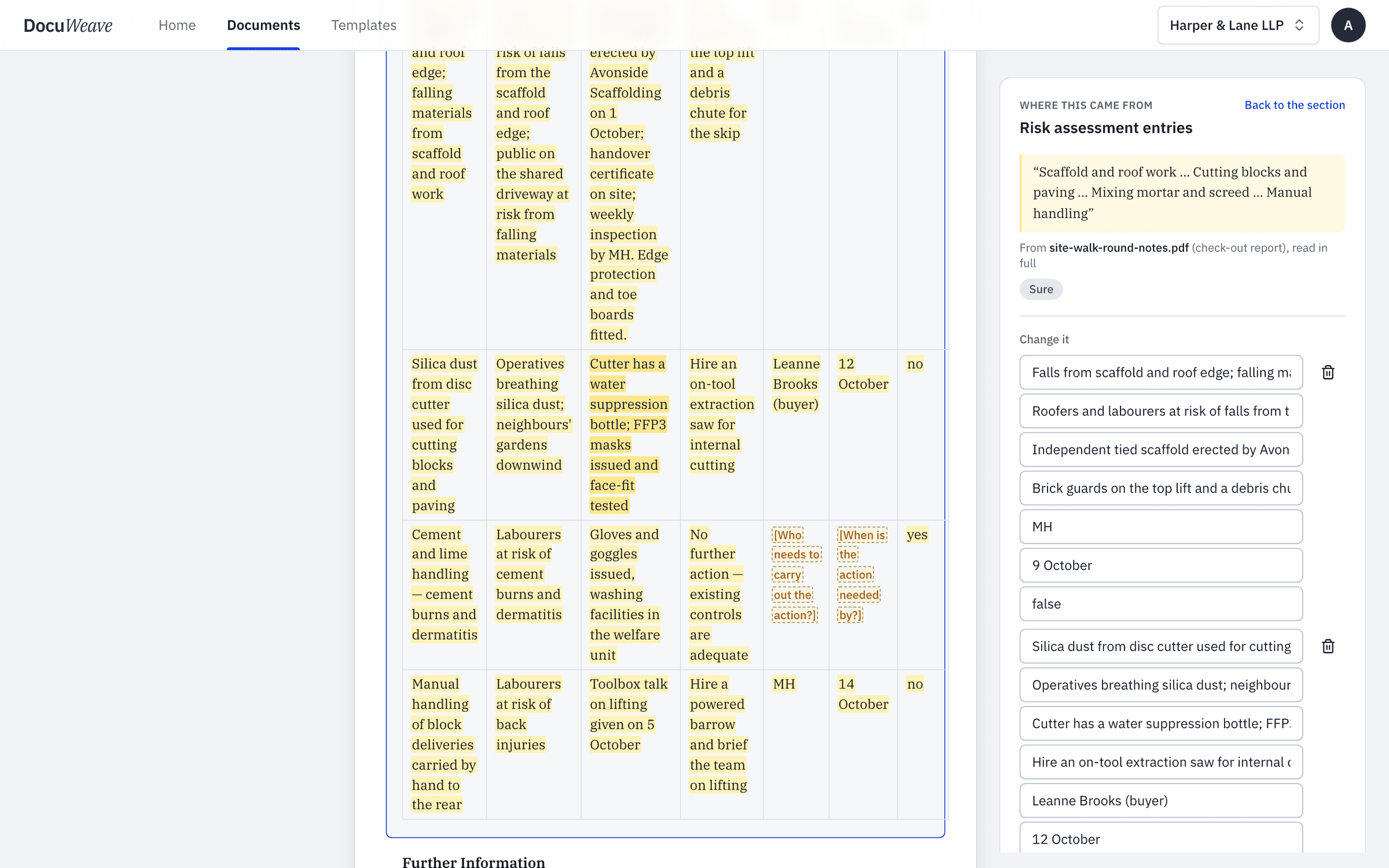
4What was found, with sources
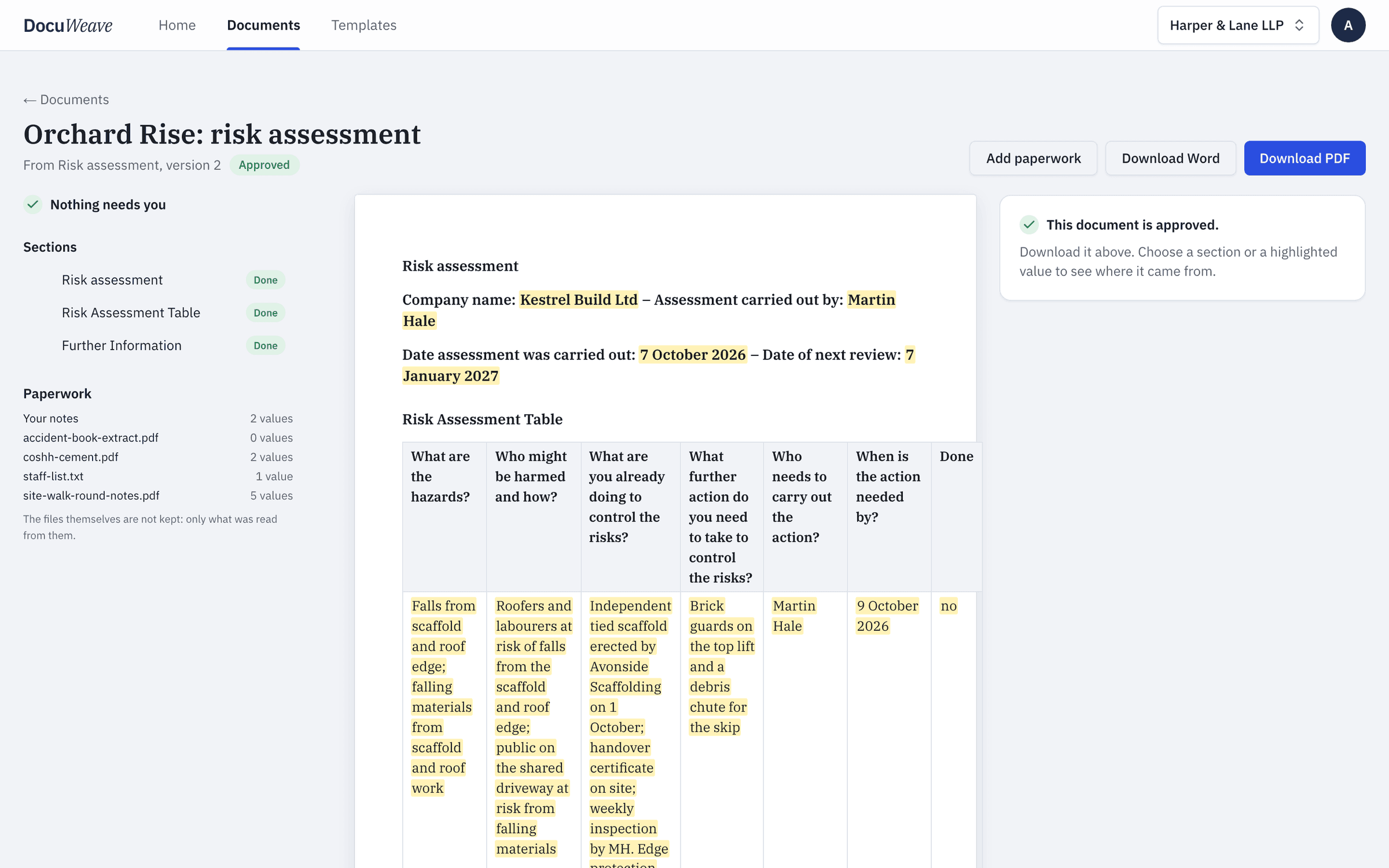
5 of 5 values filled from the paperwork, the hazard table with one row for each hazard in the walk-round notes.
 5
5What it asked
Approved, with Word and PDF downloads of exactly what was approved: 1 page.
A free risk assessment to download
- Risk assessment, filled with fictional details (Word)
- Risk assessment, filled with fictional details (PDF)
Use it as it is, or upload it to DocuWeave and make it a template.
DocuWeave is not a law firm. A general template for common situations in England and Wales. It is not tailored to you and we do not update it when the law changes, so check it suits your situation before you use it. Terms.
Adapted from Health and Safety Executive (October 2019). Contains public sector information licensed under the Open Government Licence v3.0.
Questions people ask
Do I need a written risk assessment?
Every employer must assess the risks in their workplace. If you have five or more employees you must write down the significant findings.
What should a risk assessment include?
The hazards, who could be harmed and how, what you already do to control the risk, what more you need to do, who will do it and by when.
How often should a risk assessment be reviewed?
When something significant changes, such as new equipment, a new process or an accident, and otherwise at regular intervals that suit the work.
Is one generic risk assessment enough?
Not usually. The assessment should reflect the actual hazards of each job or site, so many businesses keep a template and complete one for each.
Can I use my own template instead of this one?
Yes. Upload your own Word or PDF risk assessment and DocuWeave turns it into a template in your wording, with one row for each hazard.
Use this template
It opens in DocuWeave as a template you can check, change and publish. Nothing is used until you do.