Snagging list template
A snagging list records the defects and unfinished items found when a client and contractor walk round building work near completion, with who will put each one right and by when. Each snag has its location, a description, a photo reference, who is responsible, a priority and a target date, and items the client raised but the contractor does not accept are listed separately. Both sides sign it, and it is signed off again once the snags are done.
Made by DocuWeave. Use at your own discretion.
What changes each time
15 values. Everything else is your wording, kept exactly.
The inspection
- Project and site address
- Contract reference
- Client and contractor
- Inspection date
- Who was present
One row per snag
- Location
- Description
- Photo reference
- Responsible
- Priority
- Target date
Next steps
- Total snags (counted)
- Items not agreed as snags
- Overall target date
- Re-inspection
The rules it usually needs
Written in plain English when the template is set up.
- Once for each item
“One row in the snag table for each snag, with the total counted from the list.”
The walk-round notes listed six snags, so the table had six rows and the total reads 6.
- Only when…
“Include items not agreed as snags only when there are any.”
The client disputed the render colour, which the contractor did not accept as a snag, so it was listed separately.
One worked example, start to finish
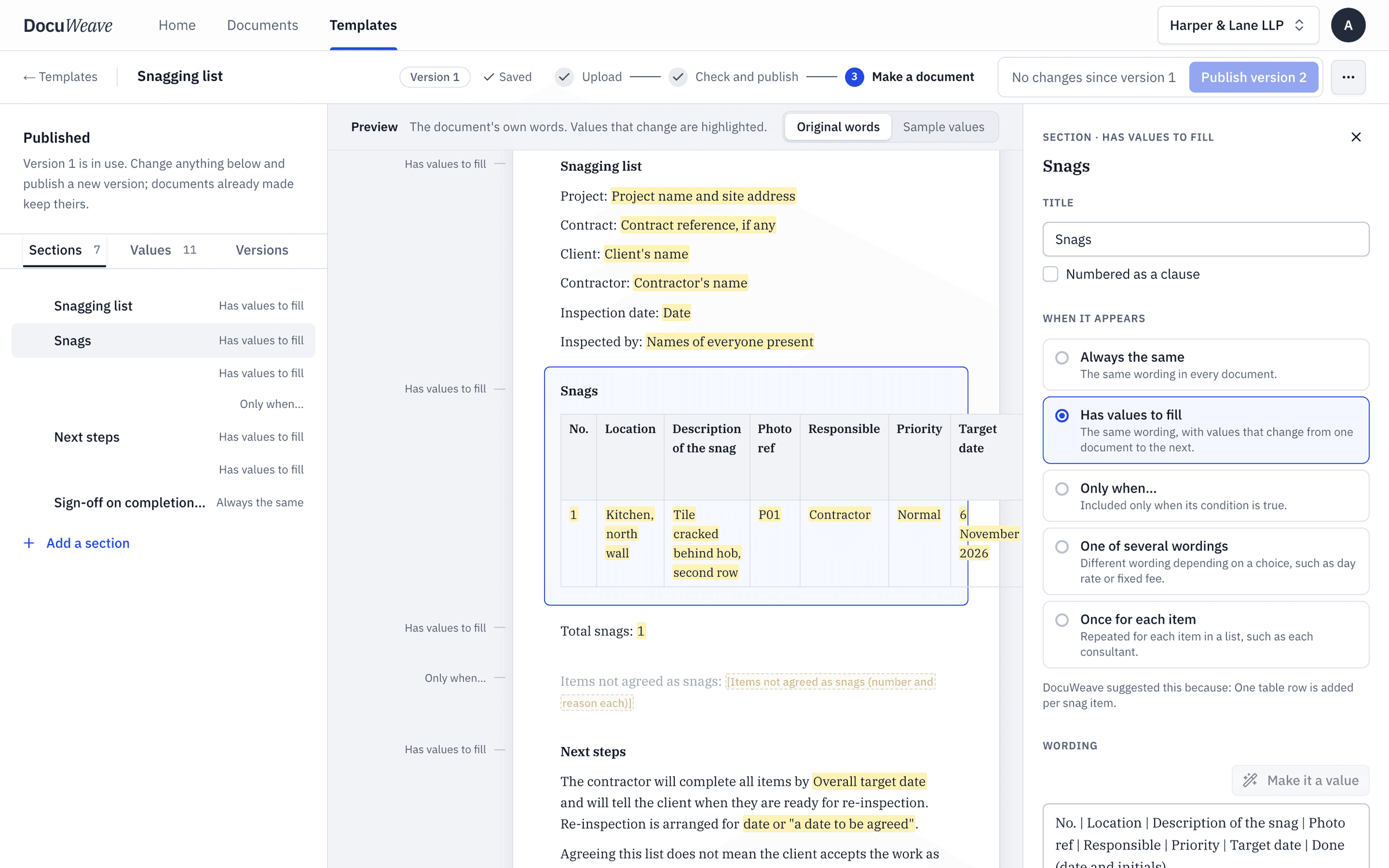
The snagging list in DocuWeave, from upload to approval.
 1
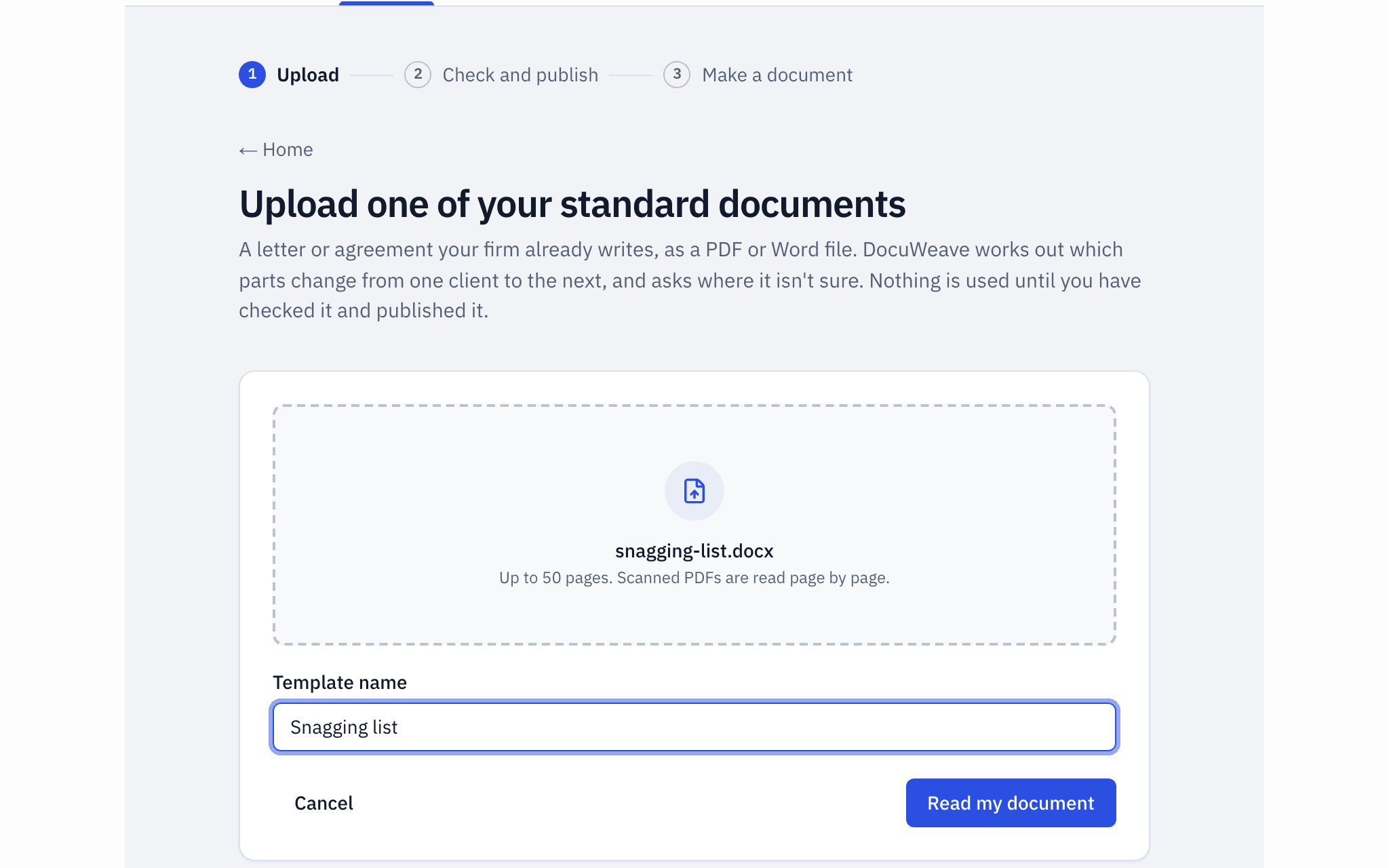
1The document uploaded
The snagging list, a Word file, uploaded as it is.
- 2
The template it became
It found 8 sections and 17 values, and asked 3 questions before publishing. The snag table adds a row for each snag.
 3
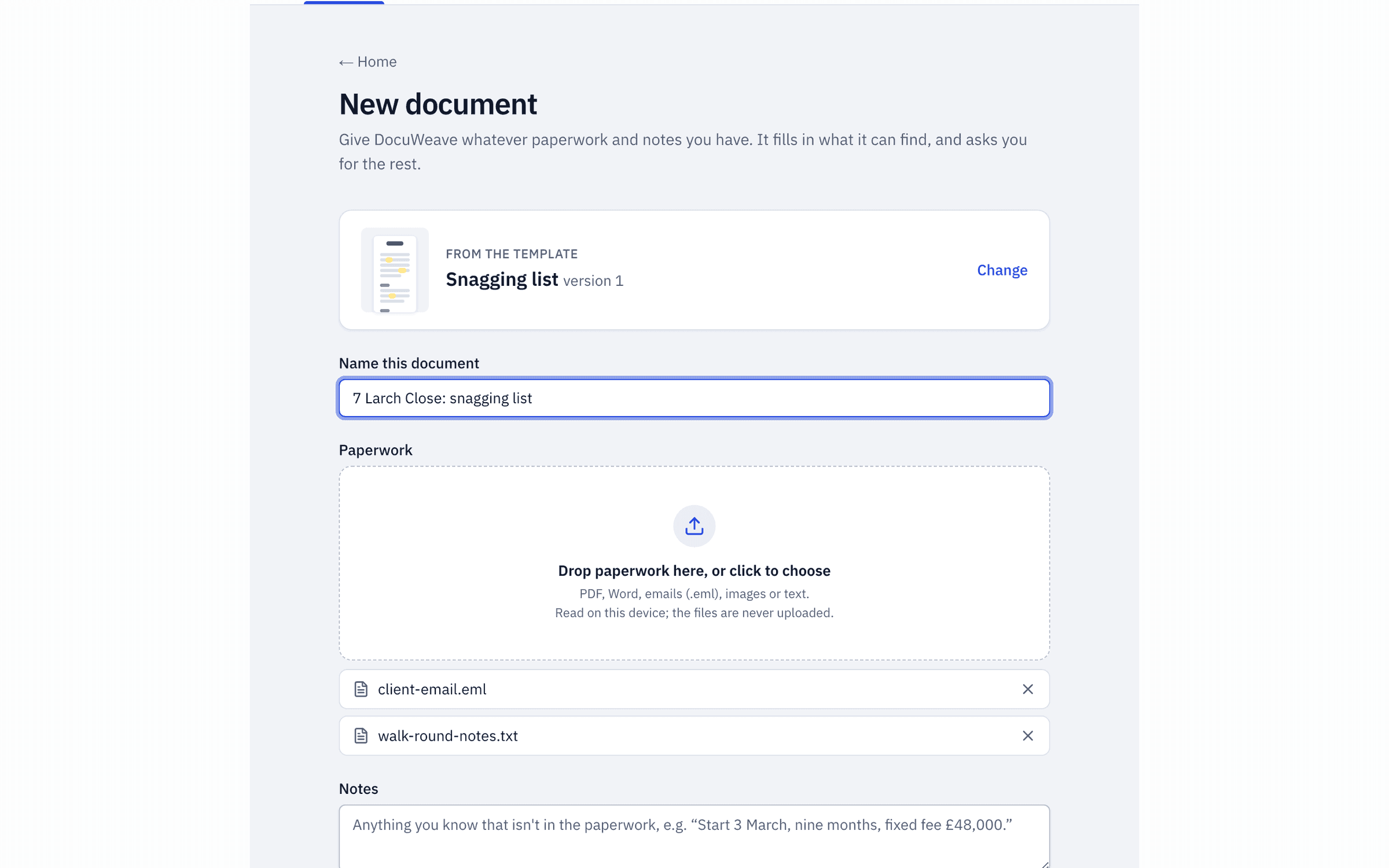
3The paperwork dropped in
The site manager's walk-round notes and the client's email listing her issues.
 4
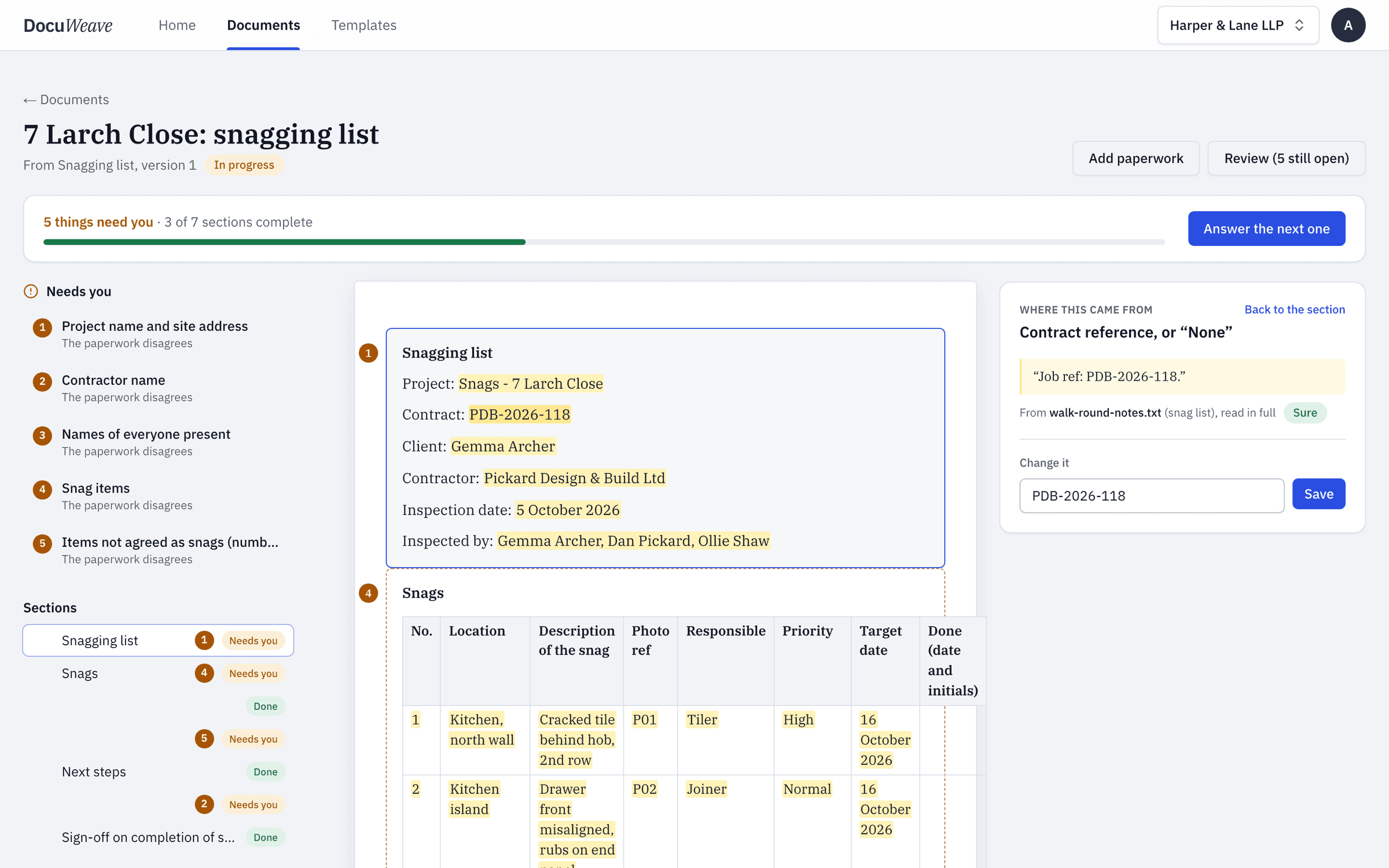
4What was found, with sources
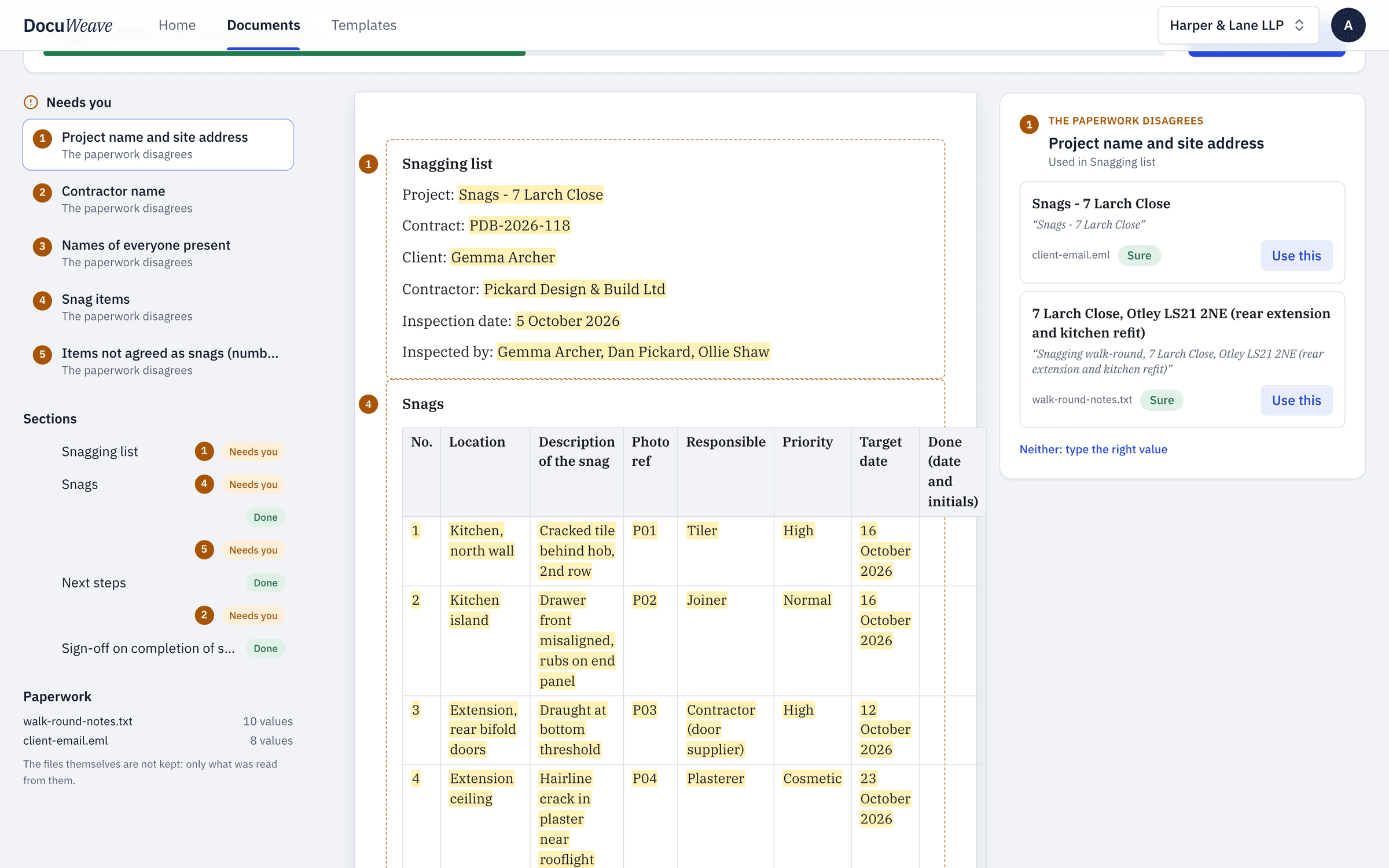
10 of 10 values filled from the paperwork, each with the passage it came from.
 5
5What it asked
5 things for a person, starting with the project address, which the email and the notes gave differently.
 6
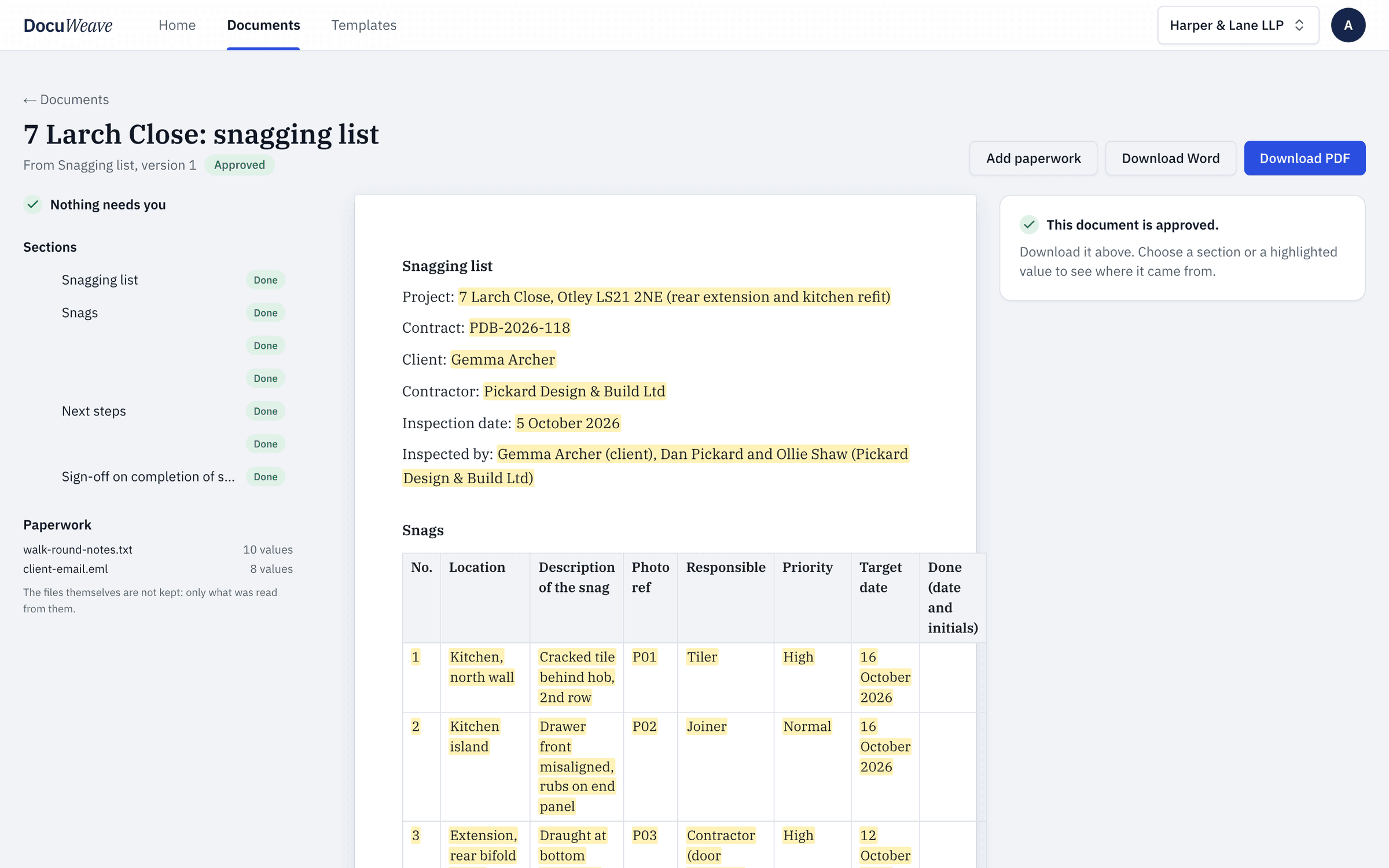
6The approved output
Approved, with Word and PDF downloads.
A free snagging list to download
- Snagging list, filled with fictional details (Word)
- Snagging list, filled with fictional details (PDF)
Use it as it is, or upload it to DocuWeave and make it a template.
DocuWeave is not a law firm. A general template for common situations in England and Wales. It is not tailored to you and we do not update it when the law changes, so check it suits your situation before you use it. Terms.
Made by DocuWeave. Use at your own discretion.
Questions people ask
What is a snag?
A defect or unfinished item found near the end of building work, such as a cracked tile, a door that sticks or a missing seal, which the contractor agrees to put right.
When is a snagging list made?
Usually at a walk-round near practical completion, with the client and the contractor present, and again at re-inspection once the items are done.
Does agreeing a snagging list mean the work is accepted?
No. This list says that agreeing it does not mean the client accepts the work as free of defects, and later defects can still be reported under the contract or any guarantee.
What if the contractor does not agree something is a snag?
List it separately as not agreed, with the reason, so it is recorded without holding up the rest.
Should each snag have a photo?
It helps. A photo reference against each row makes it clear what was seen and where, and makes the re-inspection quicker.
Use this template
It opens in DocuWeave as a template you can check, change and publish. Nothing is used until you do.