Fixed-term employment contract template
A fixed-term employment contract is the written statement of particulars for someone employed for a set period, such as maternity cover or a seasonal role. It gives the usual terms (pay, hours, holiday, sick pay, notice) and says how the employment ends: on a set date, or when an event happens, such as the person being covered returning. It is sent to each cover or temporary hire on or before their first day.
Adapted from Acas (22 May 2026). Contains public sector information licensed under the Open Government Licence v3.0.
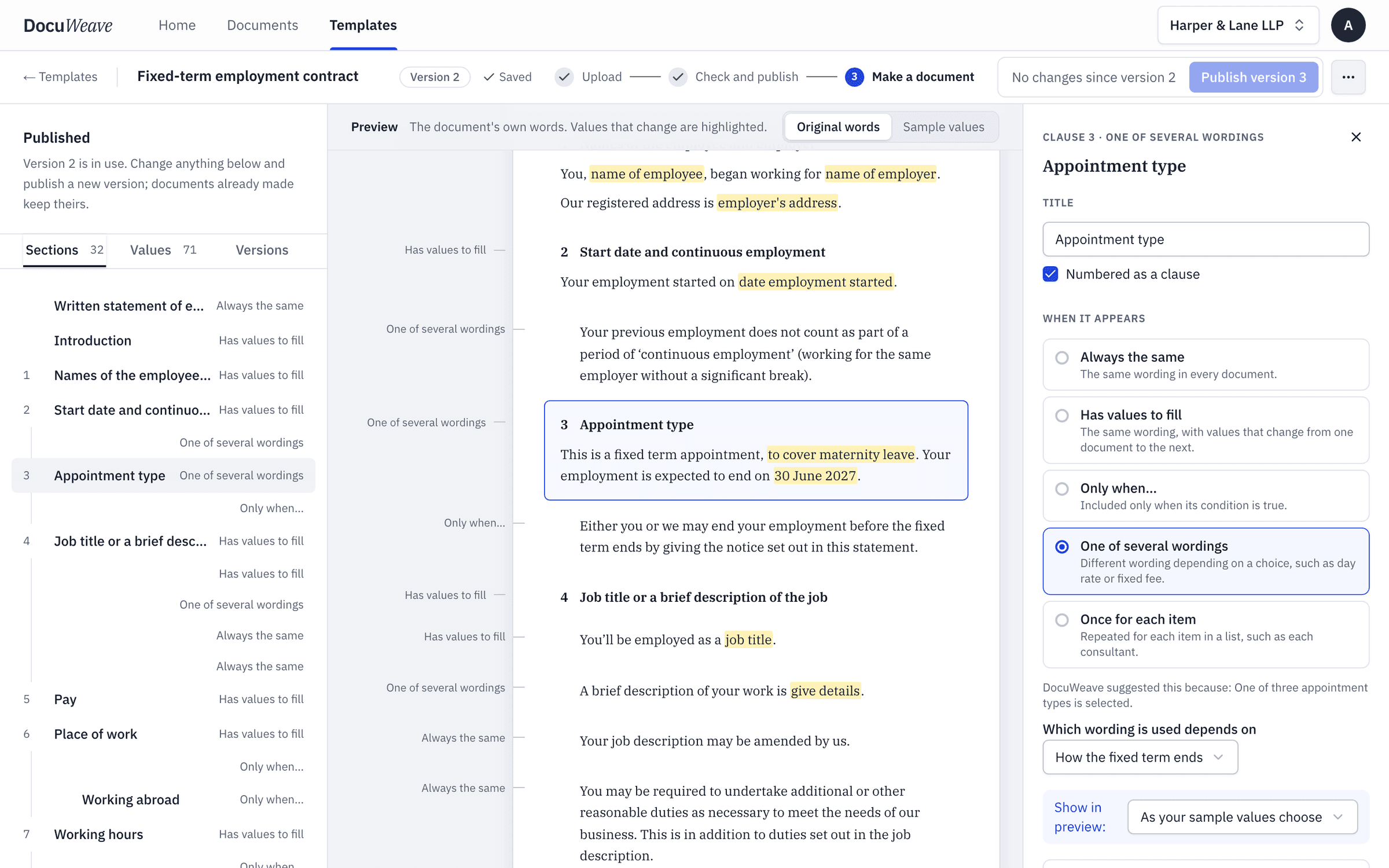
What changes each time
16 values. Everything else is your wording, kept exactly.
The parties and the job
- Employee name
- Employer name
- Job title
- Employment start date
The fixed term
- How the fixed term ends
- Why the post is fixed term
- Event that ends the fixed term
- End date
Pay and hours
- Pay
- Pay frequency
- Working days and hours
- Normal place of work
Leave, sick pay and notice
- Holiday entitlement
- Contractual sick pay
- Who to report absence to
- Notice period
The rules it usually needs
Written in plain English when the template is set up.
- One of several wordings
“How the fixed term ends: either on a set date, or when an event happens.”
The maternity cover note said the post ends when Sofia returns from maternity leave, so the event wording was used, naming that event.
- The AI decides from the paperwork
“Include the early-termination sentence only when either side may end the employment before the fixed term ends.”
The approval email said either side can end it early on one month's notice, so the sentence was included, with that reason shown.
- The AI decides from the paperwork
“Include the sentence about other places of work only when the employee may be required to work somewhere other than the normal place of work.”
The new-starter form said other places of work: none, so the sentence was left out.
- The AI decides from the paperwork
“Include the working abroad section only when the employee may be required to work outside the UK.”
The new-starter form said travel outside the UK was not required, so the section was left out.
- One of several wordings
“Probation: either no probation period, or a probation period with its length and terms.”
The approval email said no probation period, so that wording was used.
- One of several wordings
“Sick pay: either Statutory Sick Pay only, or company sick pay.”
Company sick pay was used, from the approval email.
One worked example, start to finish
The fixed-term employment contract in DocuWeave, from upload to approval.
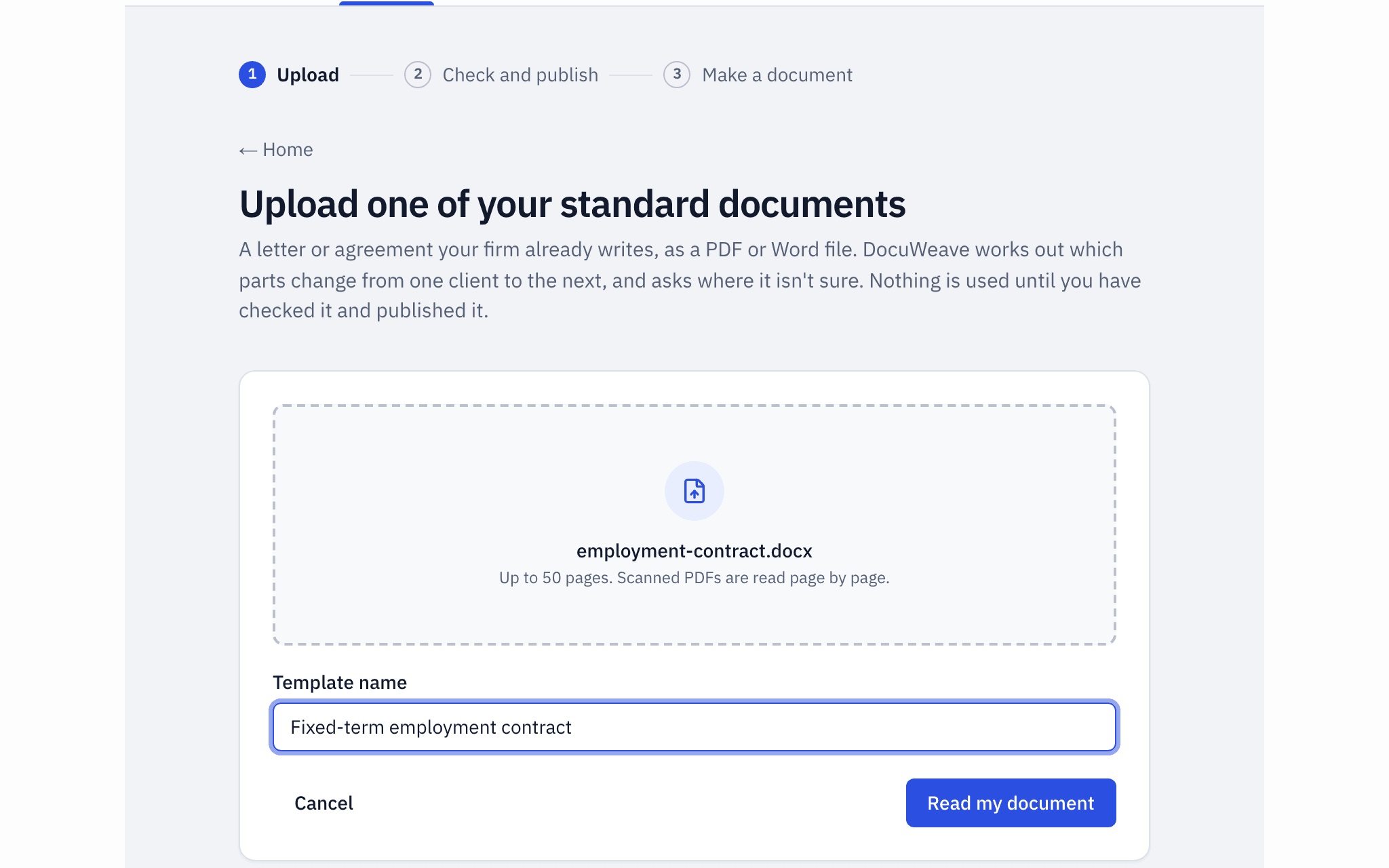 1
1The document uploaded
The Acas written statement template for employees, a Word file, uploaded as it is.
- 2
The template it became
It found 31 sections and 70 values, and asked 8 questions before publishing. The fixed term ends on a date or on an event.
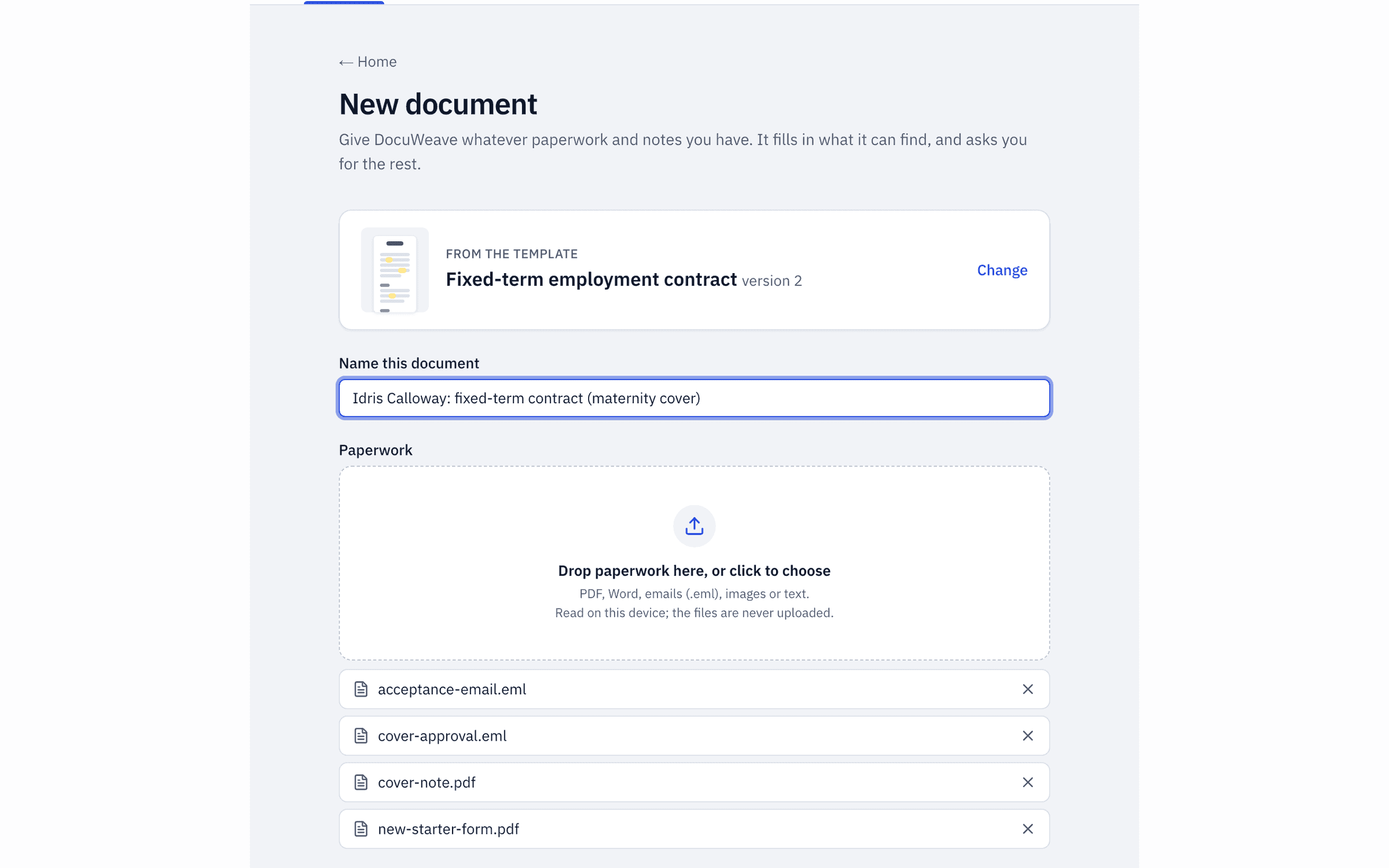 3
3The paperwork dropped in
The candidate's acceptance email, the partner's approval, the maternity cover note and the new-starter form.
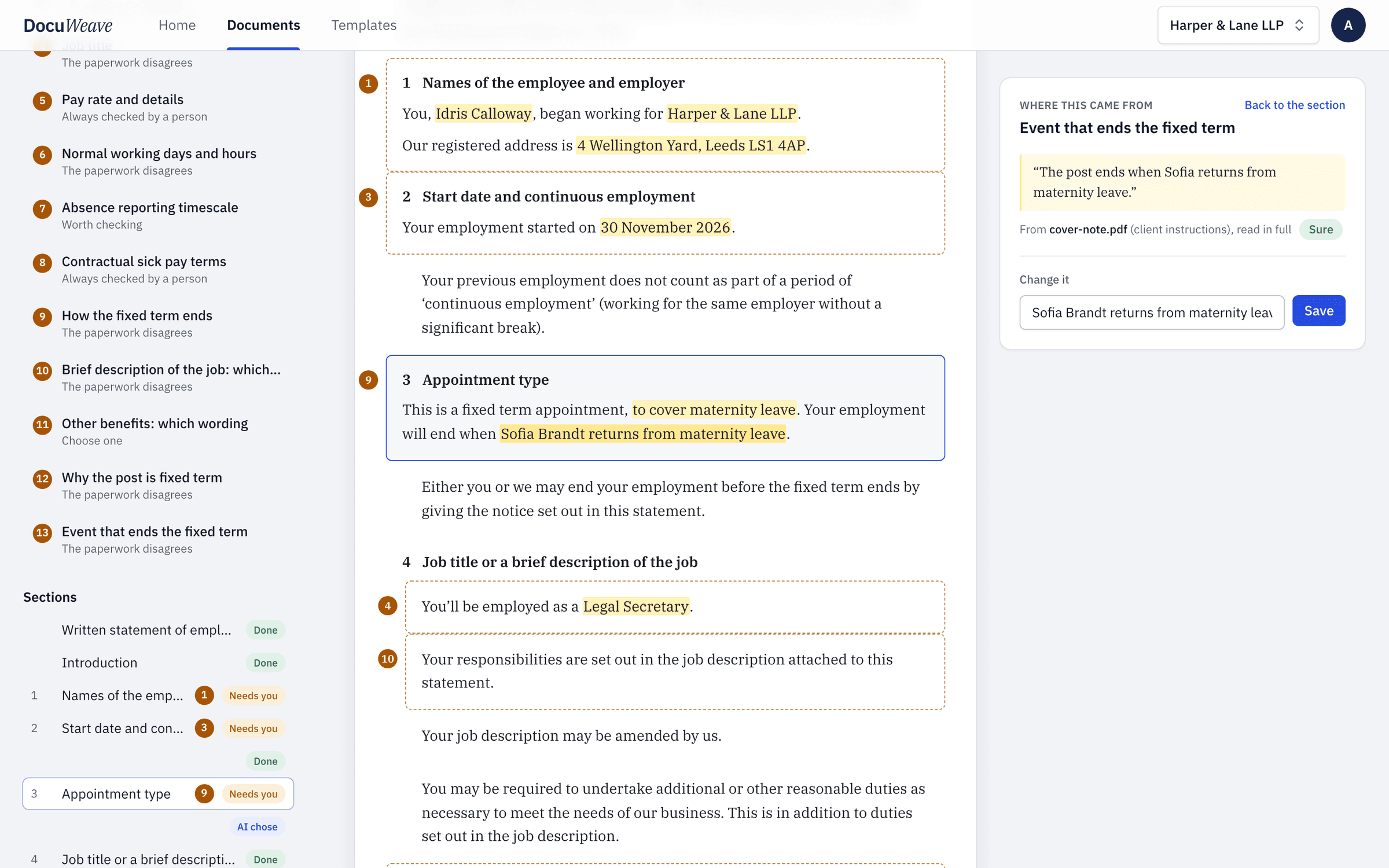 4
4What was found, with sources
26 of 70 values filled from the paperwork, each with the passage and the file it came from.
 5
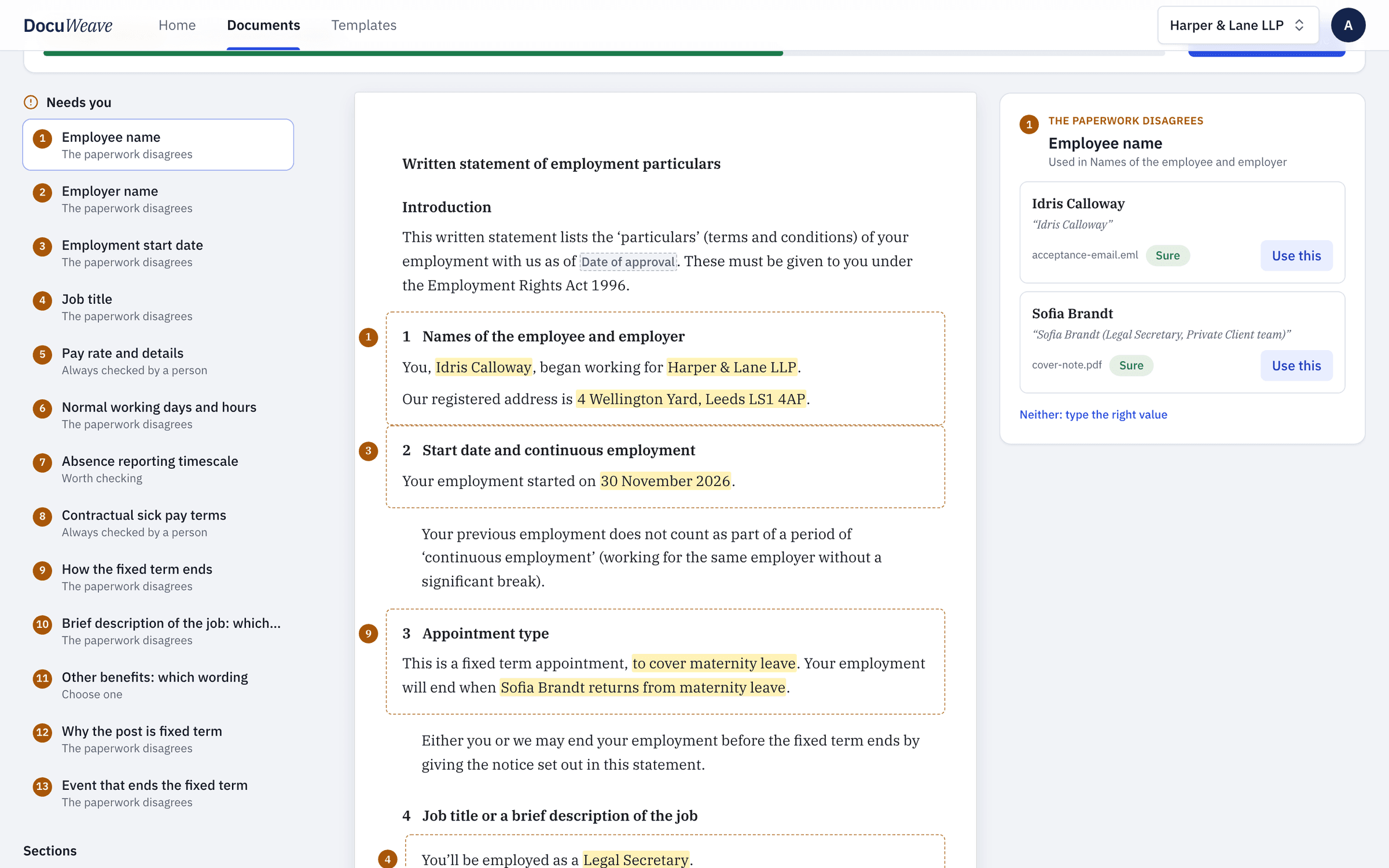
5What it asked
13 things for a person, mostly where the cover note and the emails said different things.
 6
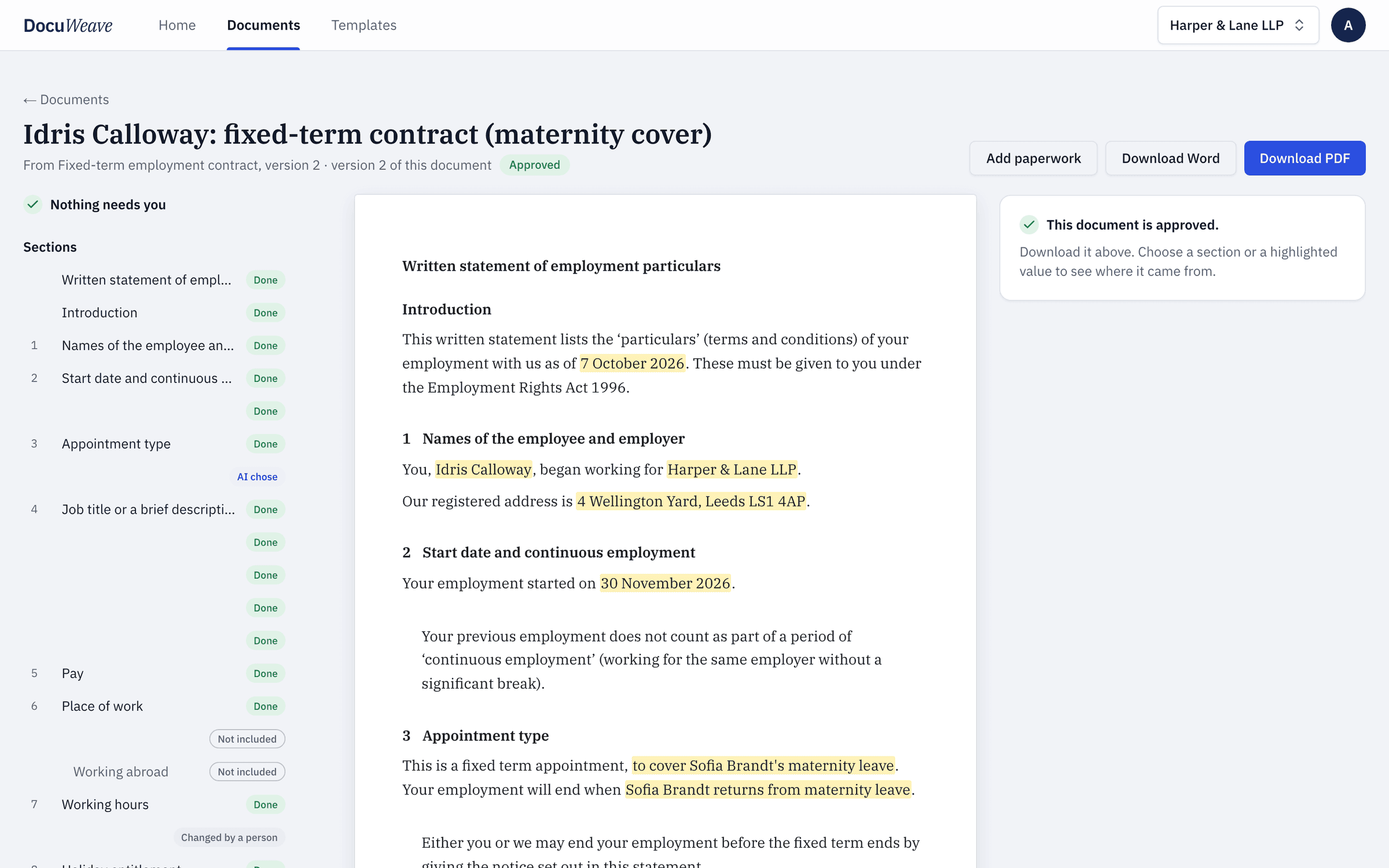
6The approved output
Approved, with Word and PDF downloads of exactly what was approved: 4 pages.
A free fixed-term employment contract to download
- Fixed-term employment contract, filled with fictional details (Word)
- Fixed-term employment contract, filled with fictional details (PDF)
Use it as it is, or upload it to DocuWeave and make it a template.
DocuWeave is not a law firm. A general template for common situations in England and Wales. It is not tailored to you and we do not update it when the law changes, so check it suits your situation before you use it. Terms.
Adapted from Acas (22 May 2026). Contains public sector information licensed under the Open Government Licence v3.0.
Questions people ask
What is a fixed-term employment contract?
It is a contract for employment that ends on a set date, when a task is finished, or when a particular event happens, such as the return of someone on maternity leave. The employee has the same main written particulars as a permanent employee.
Do fixed-term employees have the same rights as permanent staff?
Generally yes. Fixed-term employees should not be treated less favourably than comparable permanent employees, for example on pay, holiday or sick pay, unless there is a good reason.
Can a fixed-term contract be ended early?
Only if the contract allows it, usually by giving notice. That is why this template includes an early-termination sentence only when both sides have agreed to one.
What happens if a fixed-term employee works for more than four years?
An employee on successive fixed-term contracts for four years or more usually becomes permanent automatically, unless the employer can justify keeping them on a fixed term.
Can I use my own fixed-term contract instead?
Yes. Upload your own Word or PDF contract and DocuWeave turns it into a template in your wording, with your own rules for how the term ends.
Use this template
It opens in DocuWeave as a template you can check, change and publish. Nothing is used until you do.