Mutual non-disclosure agreement (NDA) template
A mutual non-disclosure agreement lets two businesses share confidential information with each other for a stated purpose, such as exploring a joint bid or a partnership, and promise not to use it for anything else or pass it on. It is usually signed before a first detailed meeting, so it is sent again and again with different parties, a different purpose and a different term.
Adapted from Intellectual Property Office (16 February 2017). Contains public sector information licensed under the Open Government Licence v3.0.
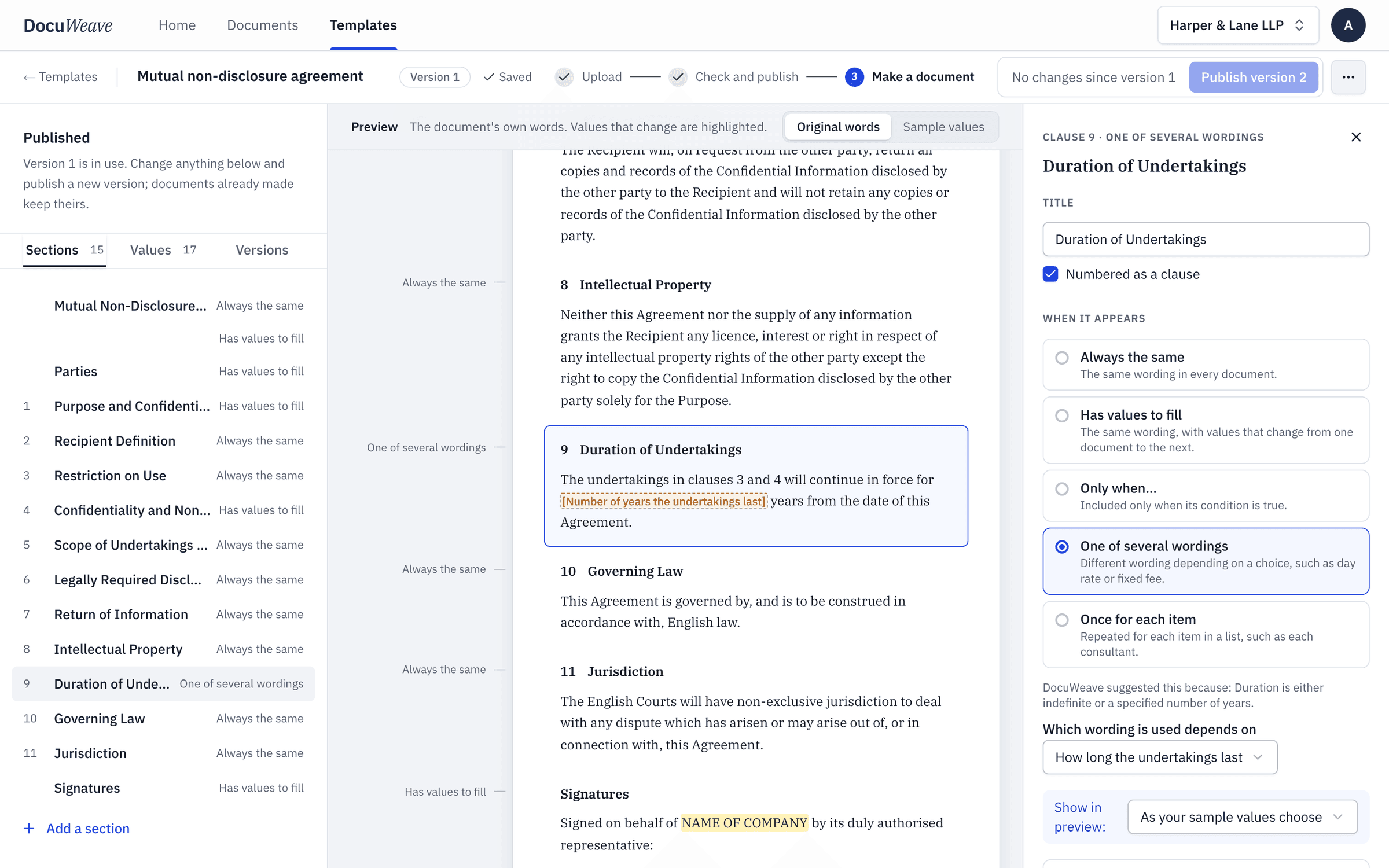
What changes each time
14 values. Everything else is your wording, kept exactly.
The parties
- Party 1 company
- Party 1 company number
- Party 1 registered office
- Party 2 company
- Party 2 company number
- Party 2 registered office
- Where each party is registered
The purpose and term
- Purpose of disclosure
- How long the undertakings last
- Number of years
- Professional advisers may also receive the information
Signatures
- Party 1 signatory and position
- Party 2 signatory and position
- Agreement date
The rules it usually needs
Written in plain English when the template is set up.
- One of several wordings
“How long the undertakings last: either a fixed number of years, or until the information becomes public.”
The emails agreed three years, so clause 9 reads "for 3 years from the date of this Agreement".
- Only when…
“Add "and professional advisers" to the people who may receive the information only when both sides agree.”
The reply said "yes to advisers", so clause 4 names employees and professional advisers.
One worked example, start to finish
The mutual non-disclosure agreement (nda) in DocuWeave, from upload to approval.
 1
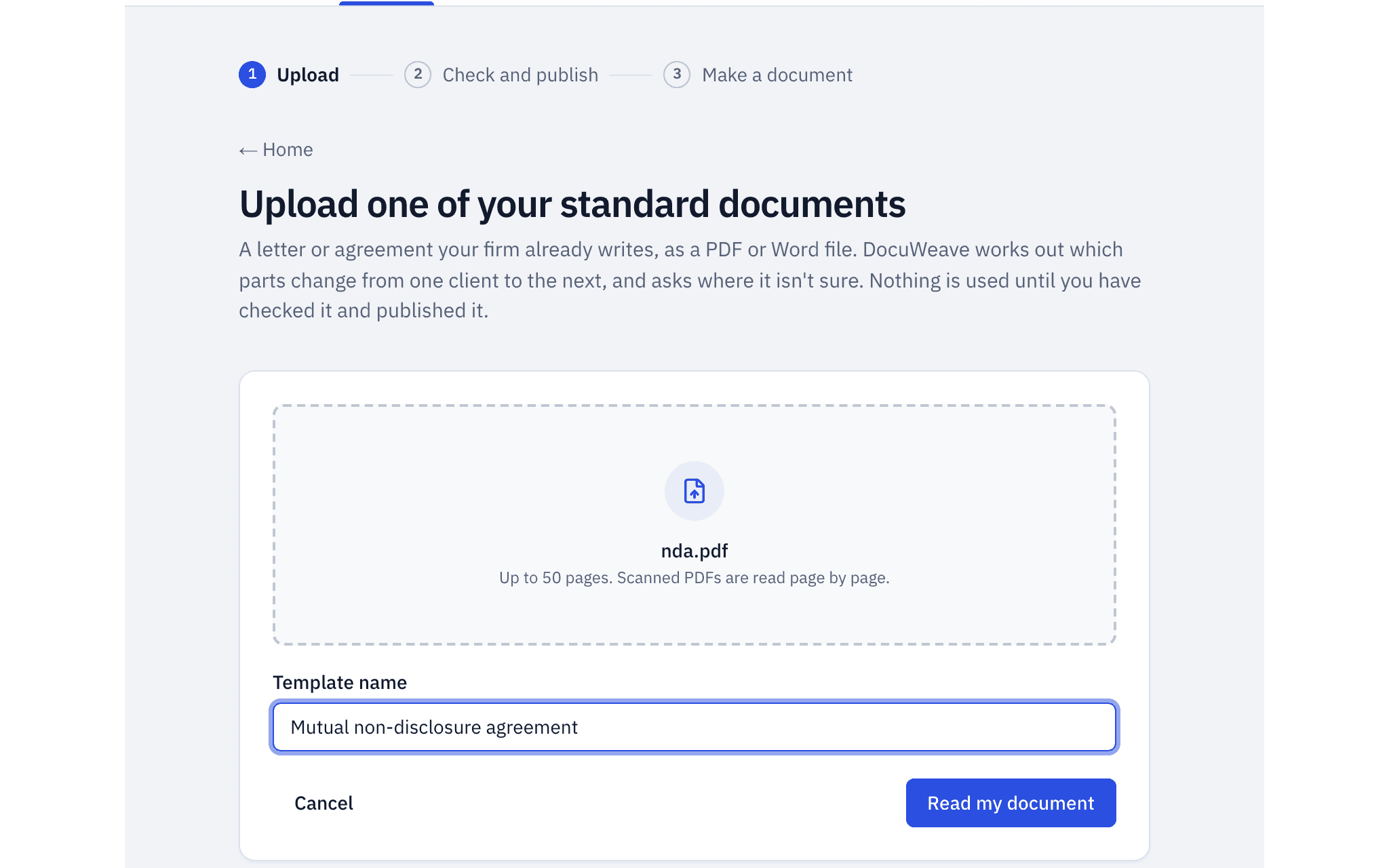
1The document uploaded
The IPO's example mutual NDA, a PDF, uploaded as it is.
- 2
The template it became
It found 15 sections and 18 values, and asked 12 questions before publishing. Clause 9 has two wordings for the term.
 3
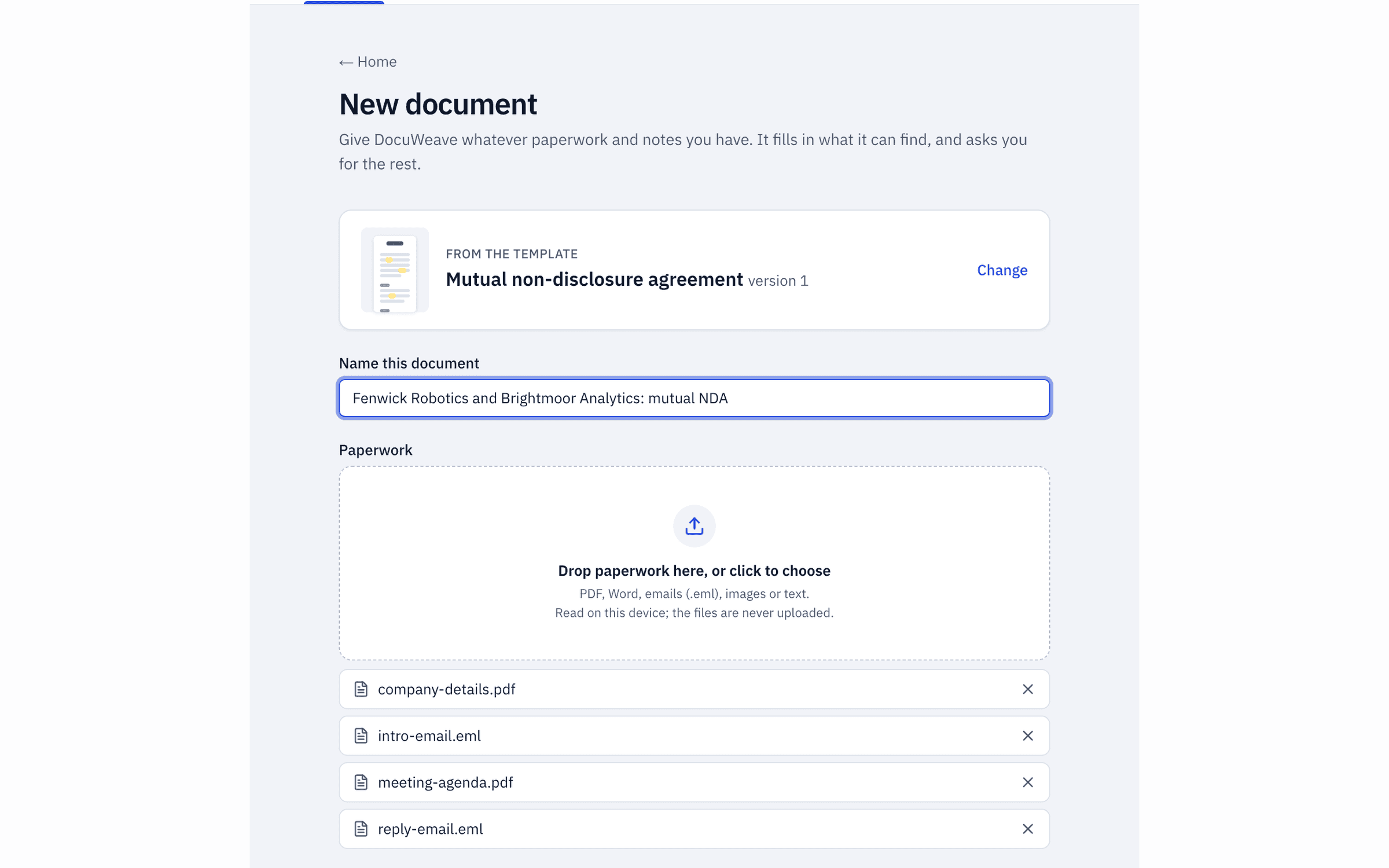
3The paperwork dropped in
The introduction email, the reply, both companies' details and the meeting agenda.
 4
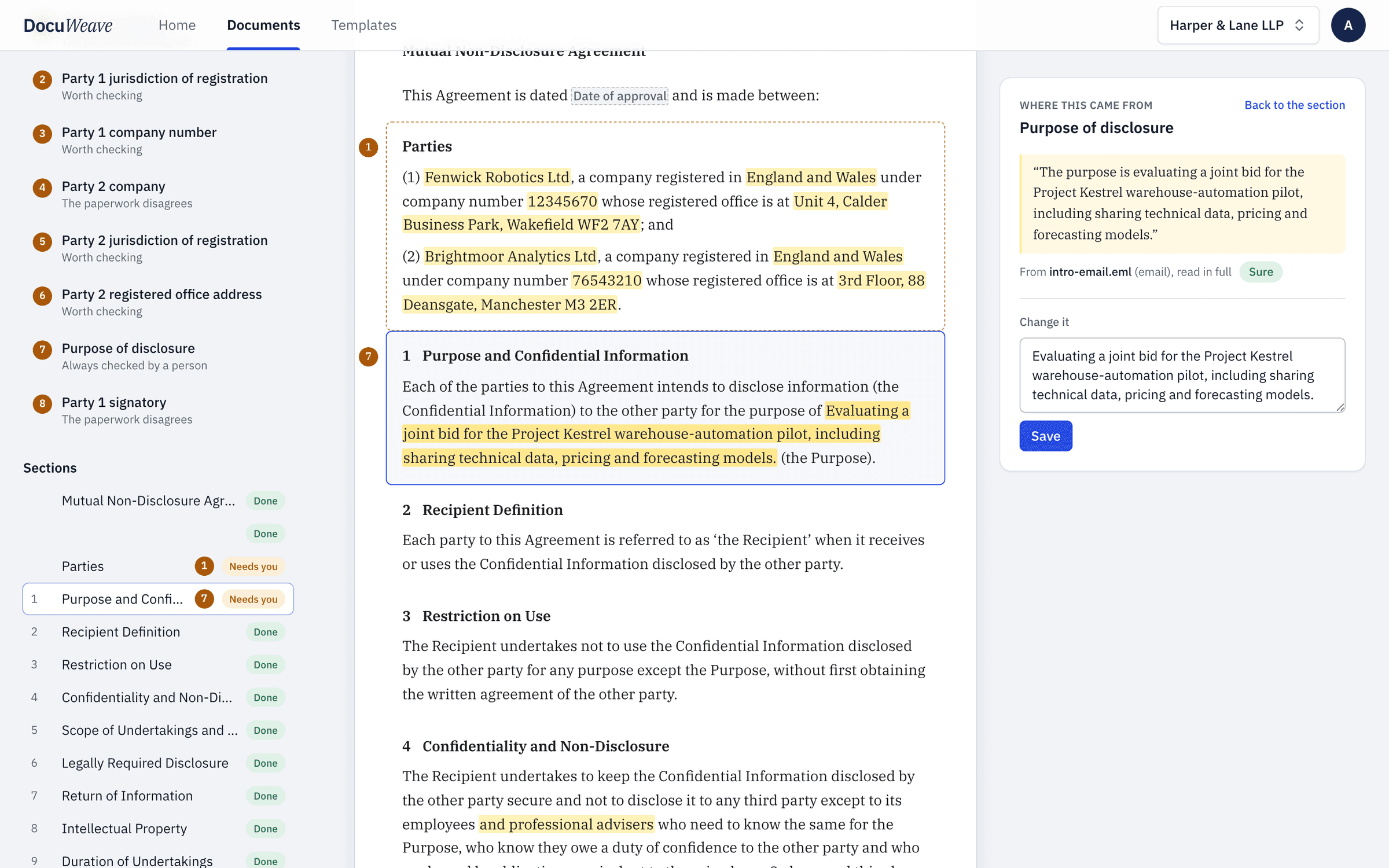
4What was found, with sources
16 of 16 values filled from the paperwork, each with the passage it came from.
 5
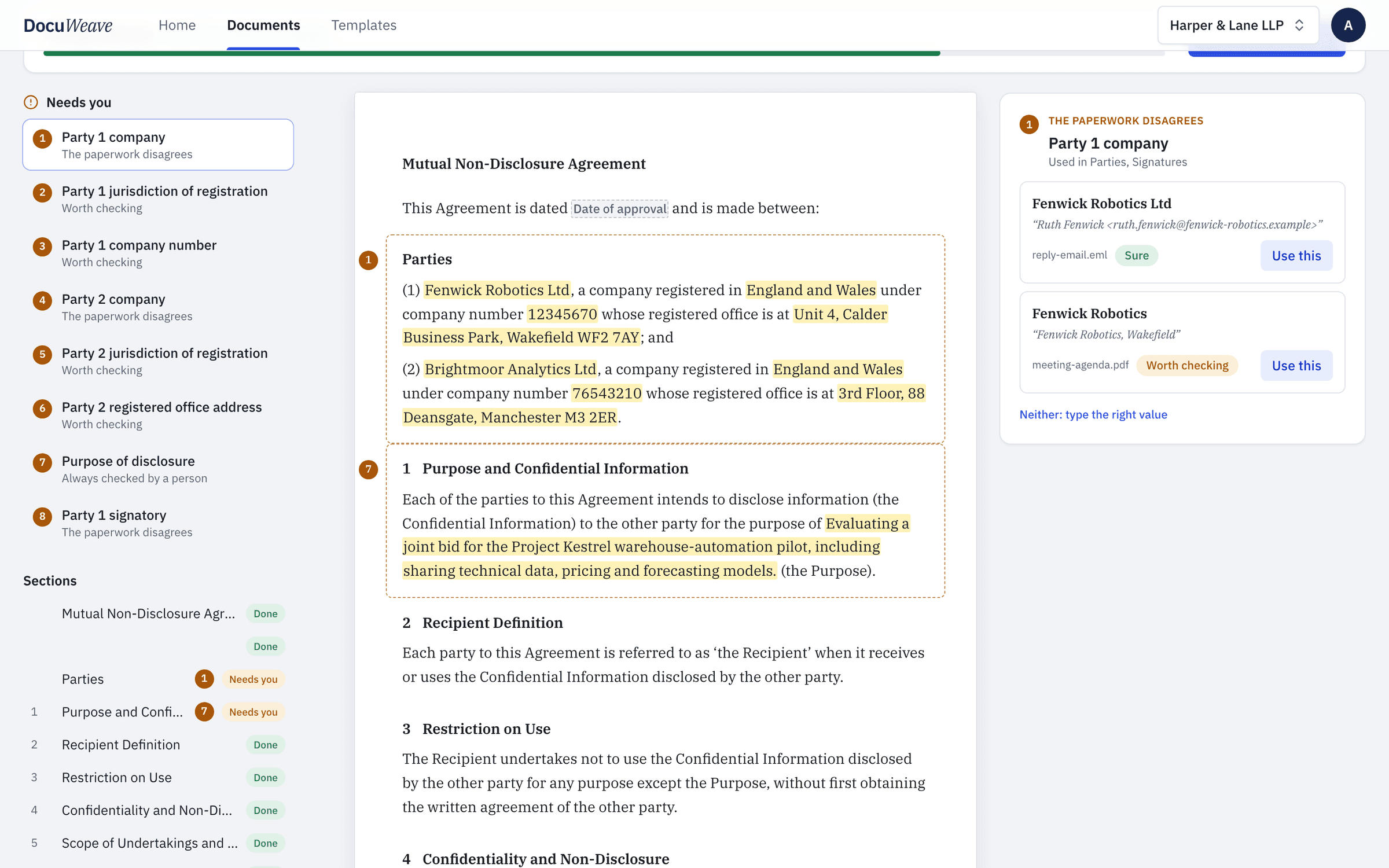
5What it asked
8 things for a person: names the files gave differently, details read from a table that were worth checking, and the purpose.
 6
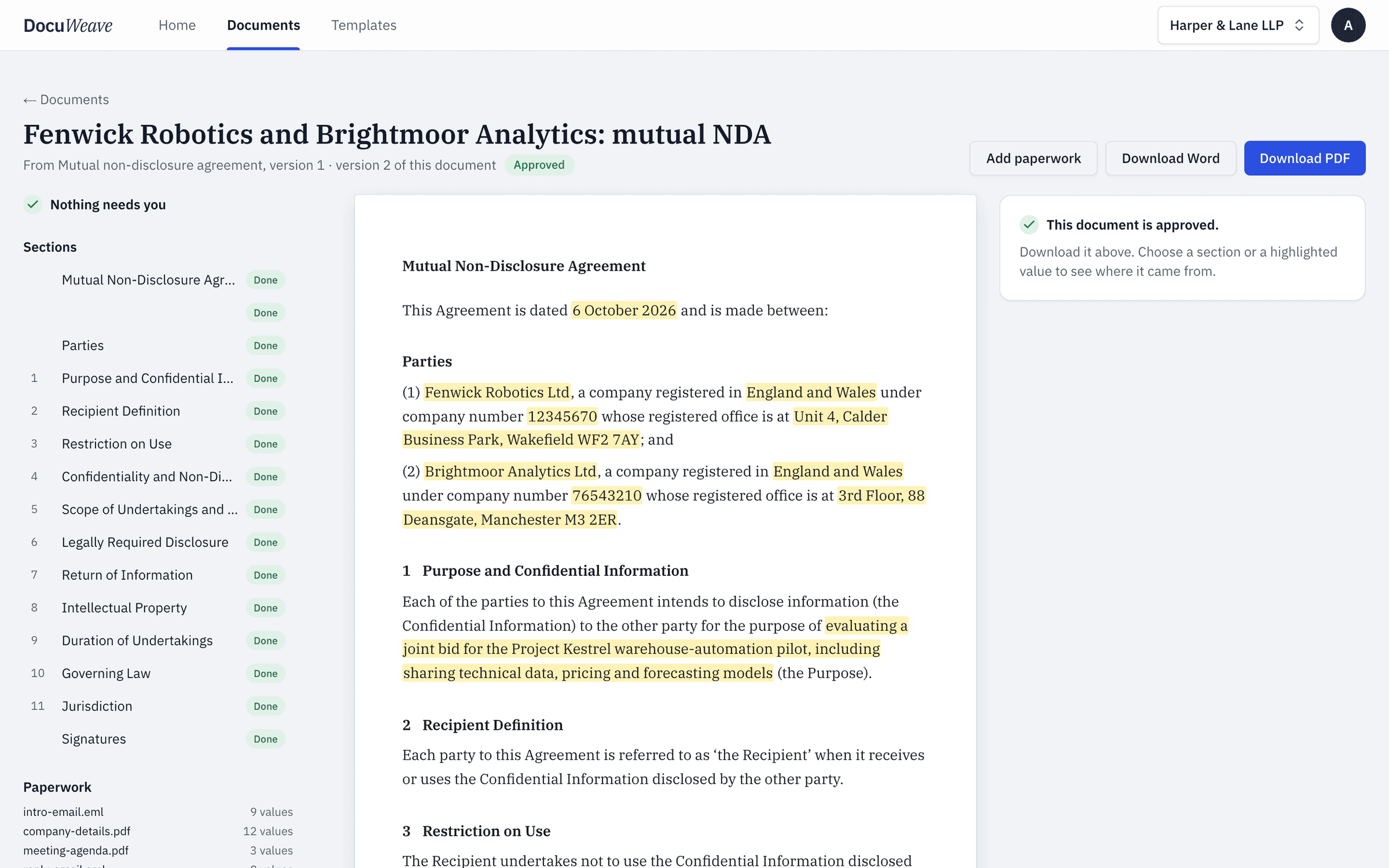
6The approved output
Approved, with Word and PDF downloads of exactly what was approved.
A free mutual non-disclosure agreement (nda) to download
- Mutual NDA, filled with fictional details (Word)
- Mutual NDA, filled with fictional details (PDF)
Use it as it is, or upload it to DocuWeave and make it a template.
DocuWeave is not a law firm. A general template for common situations in England and Wales. It is not tailored to you and we do not update it when the law changes, so check it suits your situation before you use it. Terms.
Adapted from Intellectual Property Office (16 February 2017). Contains public sector information licensed under the Open Government Licence v3.0.
Questions people ask
What is the difference between a mutual and a one-way NDA?
In a mutual NDA both parties share confidential information and both are bound by the same promises. In a one-way NDA only one party discloses and only the other is bound, which suits an investor or a prospective supplier looking at your business.
How long should an NDA last?
It depends on how long the information stays valuable. Many NDAs run for a fixed number of years; others last until the information becomes public. This template offers both and uses whichever the parties agreed.
Does an NDA stop someone disclosing information the law requires them to disclose?
No. The agreement itself says nothing in it prevents a disclosure required by law or by a competent authority, and information that is already public or already known to the recipient is outside it.
Do both parties need to sign?
Yes. A mutual NDA binds both sides, so it is signed on behalf of each company by someone authorised to do so.
Can I use my own NDA instead of this one?
Yes. Upload your own Word or PDF version and DocuWeave turns it into a template in your wording, then fills each new copy from the emails and details you already have.
Use this template
It opens in DocuWeave as a template you can check, change and publish. Nothing is used until you do.